





Using Navigation System

Thread Starter
Driver School Candidate
Joined: Feb 2006
Posts: 22
Likes: 0
From: Indiana
 Using Navigation System
I tried to input a destination on my 2003 SC430 navigation and couldn't get the screen to work to allow me to input. Even using the directions from Lexus we couldn't get the screen to accept a new destination.
Can someone walk me through the steps to input a destination, or send me to a link??
Thanks!
Can someone walk me through the steps to input a destination, or send me to a link??
Thanks!
Press DESTINATION button
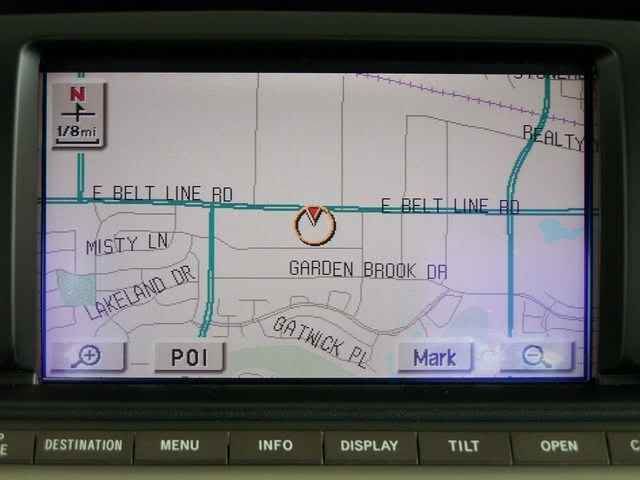
Then press Address button on the screen.
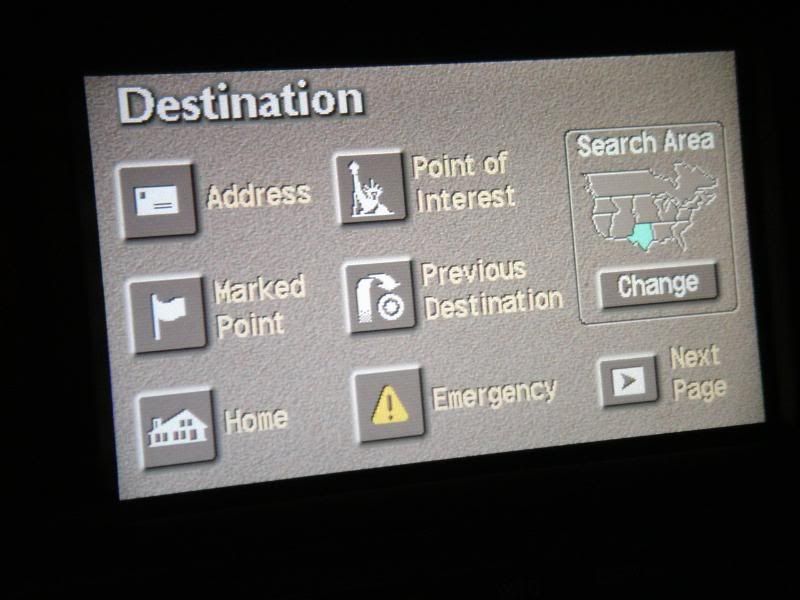
Enter your address
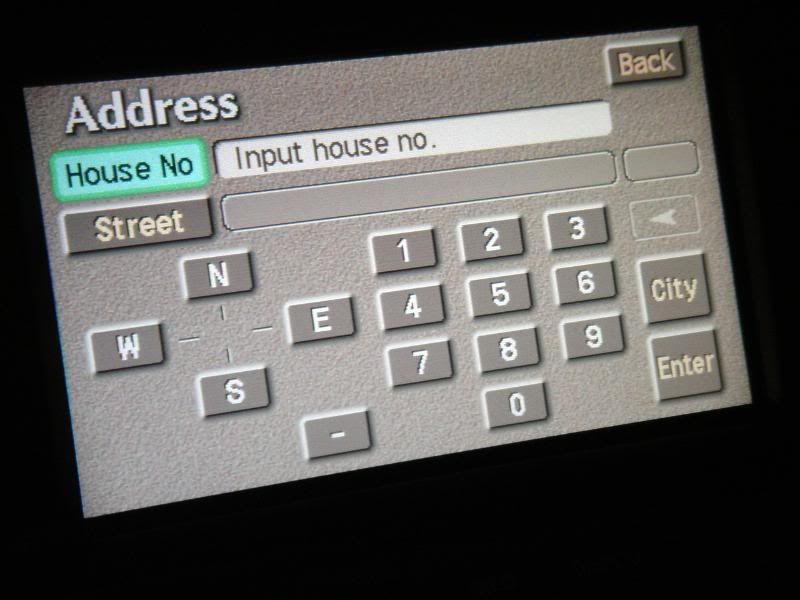
Select your city.
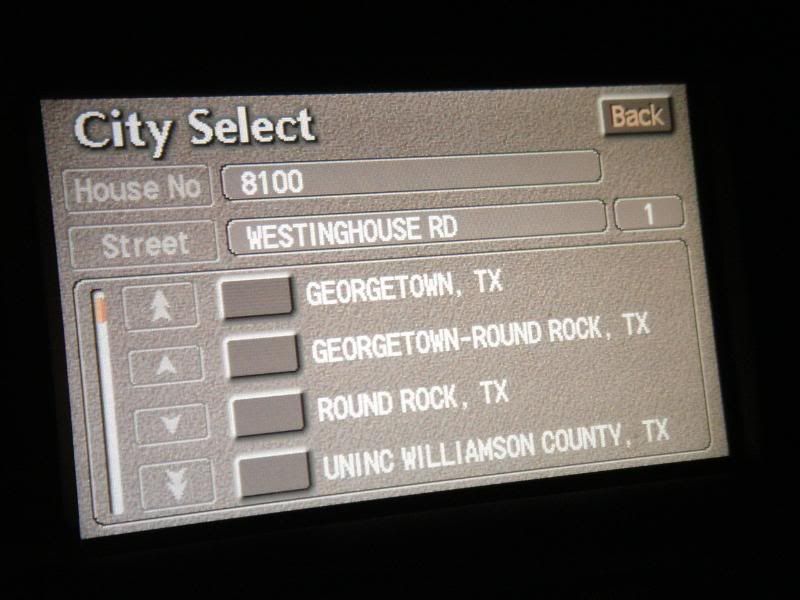
Press Enter on the screen
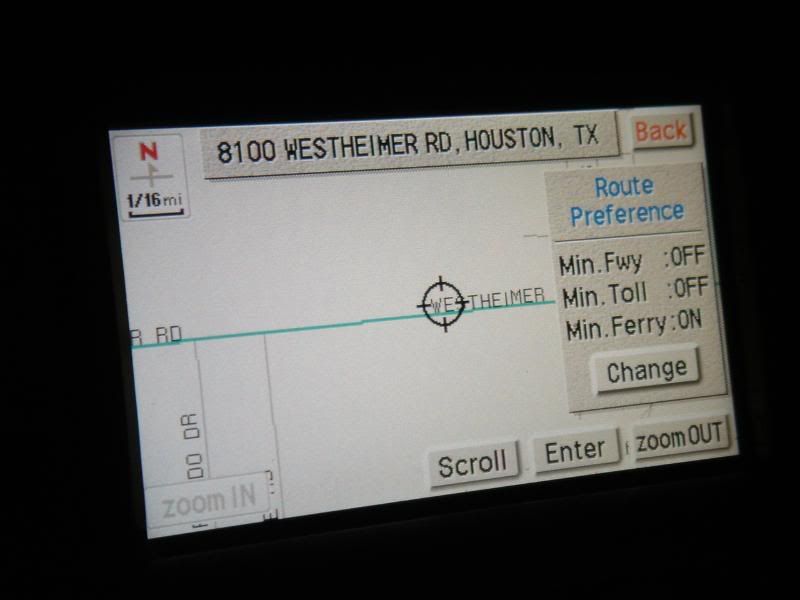
Wait for a few seconds......
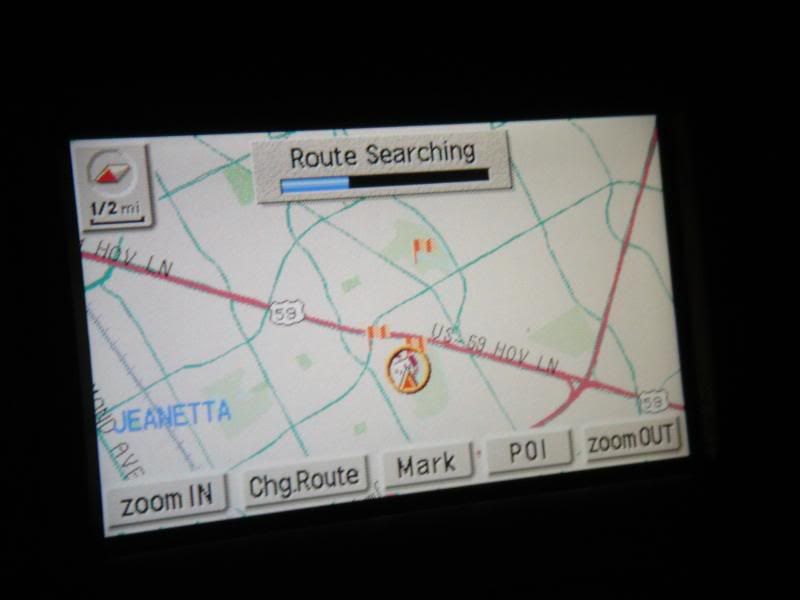
Press Start on the screen
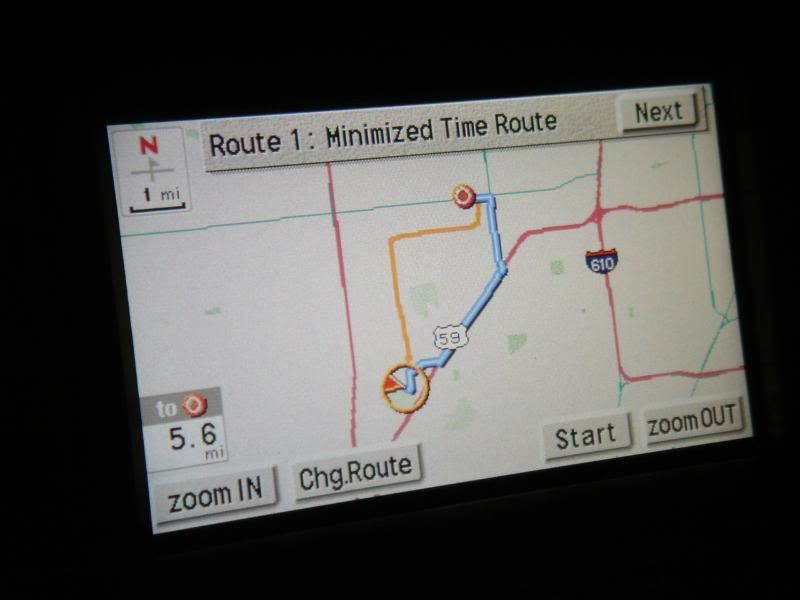
Done
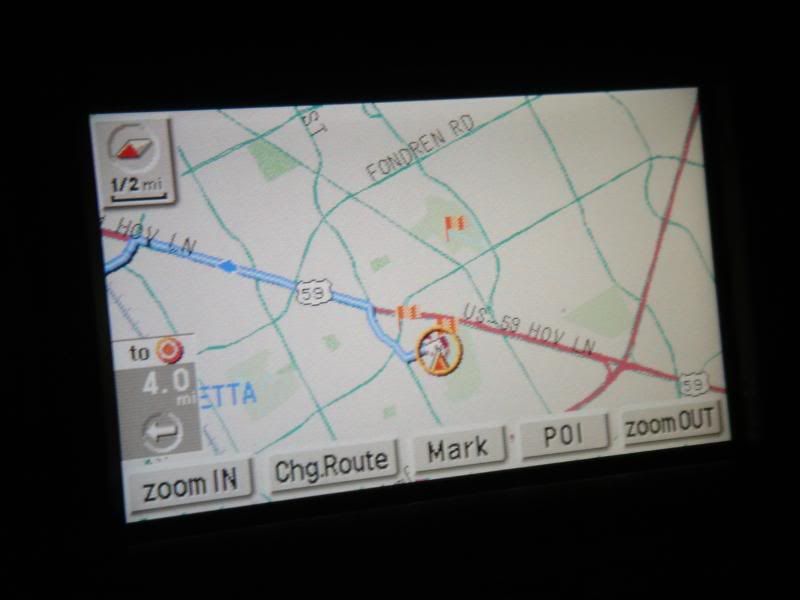
Then press Address button on the screen.
Enter your address
Select your city.
Press Enter on the screen
Wait for a few seconds......
Press Start on the screen
Done

Racer
Joined: Feb 2007
Posts: 1,637
Likes: 60
From: DC
I tried to input a destination on my 2003 SC430 navigation and couldn't get the screen to work to allow me to input. Even using the directions from Lexus we couldn't get the screen to accept a new destination.
Can someone walk me through the steps to input a destination, or send me to a link??
Thanks!
Can someone walk me through the steps to input a destination, or send me to a link??
Thanks!
Maybe if you gave a step-by-step of what you are doing and a response-by-response of what the Nav system is doing in response, then we could pin-point your problem.
Trending Topics

Driver School Candidate
Joined: Jul 2007
Posts: 20
Likes: 0
From: Georgia
Nice job!!!
Lexus should include your instructions in their manual, because it's a lot easier than their directions- seriously....
While you're at it, can we plug in my brother's address in Cedar Park, TX just down the road from Round Rock?
Larry
Lexus should include your instructions in their manual, because it's a lot easier than their directions- seriously....
While you're at it, can we plug in my brother's address in Cedar Park, TX just down the road from Round Rock?
Larry
ClubLexus Stories
Celebrating Lexus & Toyota from Around the Globe

Top 10 Most Confusing Things Lexus Has Ever Done!
Joe Kucinski
2026 Lexus ES Review: Lexus Re-Embraces Founding Principles
Michael S. Palmer
10 Lexus Bargains That are Cheaper Than a New Toyota RAV4
Joe Kucinski
8 Weirdest Things Lexus Has Ever Built
Verdad Gallardo
10 Lexus Designs That Have Aged Like Fine Wine
Verdad Gallardo
8 Tips for Improving Your Hybrid or Plug-in Hybrid's Efficiency!
Michael S. Palmer
10 Best Lexus Models No One Remembers
Joe Kucinski
TRD Off-Road Premium: Best 2026 4Runner, Except This One Thing
Michael S. Palmer
Top 10 Lexus & Toyotas to Drive Before You Die!
Joe Kucinski
Pole Position


Joined: Jun 2007
Posts: 283
Likes: 0
From: Sunny Prestwick in Avon, IN
Hmmm.. Guess I don't understand something here. You put in the address for a Westinghouse Street and it came up Westheimer. Was it because the Nav doesn't find a Westinghouse Street? I found this to be annoying when I put in addresses that it can't find. Is there something I don't know about the Nav? I've had this happen several times when imputting addresses. I have V3.1... Does it get better with later versions?
Thanks if you know..
lar
Thanks if you know..
lar

Driver
Joined: May 2007
Posts: 114
Likes: 0
From: tx
counselguy I have a 2003 lexus sc430 I know what you are trying to say... I had the same problem until I played around with it... Ok the reason why you can not input a new destination or "you can input it" but it wouldn't work... what you want to do is delete the previous destination before imputing a new one and than it should work.
That is new to me. I'll try your method if I have the same issue in the future.
Let's assume your nav doesn't malfunction.
The only time I know that it won't accept your input is when you are driving.
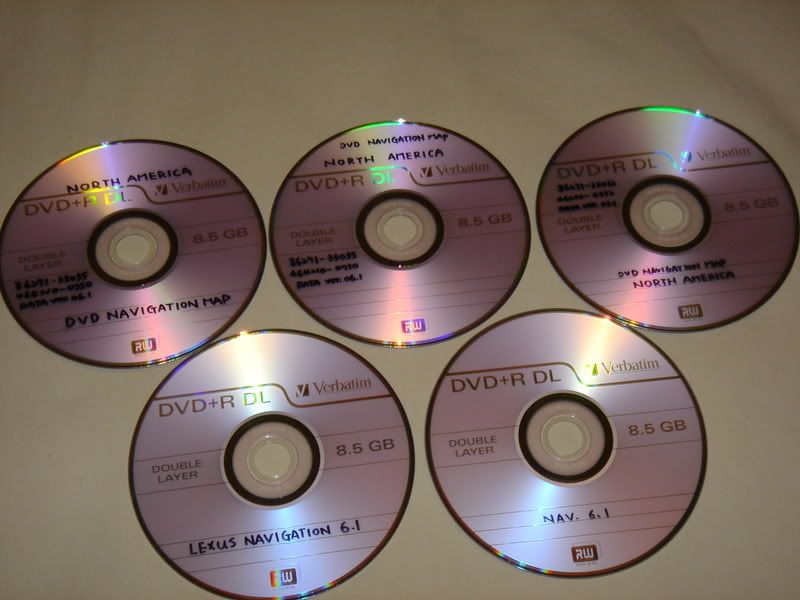
Btw, it can also happen when you use burned DVDs for gen2/3 nav system.
I know it because I have burned 5 of them from my original 6.1 DVD and none of them works smoothly for some reason.
P.S. Don't ask me how I burn it, please.
My original DVD is here. https://www.clublexus.com/forums/sho...d.php?t=290915
Let's assume your nav doesn't malfunction.
The only time I know that it won't accept your input is when you are driving.
Btw, it can also happen when you use burned DVDs for gen2/3 nav system.
I know it because I have burned 5 of them from my original 6.1 DVD and none of them works smoothly for some reason.
P.S. Don't ask me how I burn it, please.
My original DVD is here. https://www.clublexus.com/forums/sho...d.php?t=290915

Thread
Thread Starter
Forum
Replies
Last Post
eugenez
NX - 1st Gen (2015-2021)
11
Oct 19, 2015 08:15 PM
