When you click on links to various merchants on this site and make a purchase, this can result in this site earning a commission. Affiliate programs and affiliations include, but are not limited to, the eBay Partner Network.
Thanks for the heads up! I was able to find a list of factory passwords and the one for my unit ended up being 8888. Once I got into the factory settings, I changed the canbus settings and the canbus started showing as connected. I've tried several different Toyota types since. The only one which had icons that were not greyed out at first and allowed any AC control is the Baoshijie -> Toyota -> 12Crown/13crown/14crown. It did take a while for the AC controls to start working after setting so there must have been some updating in the background. Its a little janky as recirculate is actually outside air and vice versa. Sometimes no temp on the screen, if it does show it is wrong value and the rear controls do not work. The radio that came in with the canbus settings (not the radio app) will control the factory radio in a limited manner. It will select through the existing presets but have the wrong frequency listed for them.
The Hiworld - Toyota -> Crown 13 High setting seemed to have a better built AC app but didn't work when I first tried it. I will give it another try tonight in case it needs some time to update in the background to work.
Glad you got it working...Did you get radio app working with antenna? Original car radio frequencies are off and don't do the full band. The unit radio works fine and gets all and easy to use. My canbus came set to Crown 13 and ended up leaving it there. You can try anything in the Type Baoshijie but that has to be used because that is manufacturer software in canbus so Hiworld or others will not work. Temp numbers on mine are not there also. After updating the canbus and going through updating MCU etc and then reboots all should work without waiting. These chineese units don't come with instructions and that is why most installers call them chineese crap because they can't get them working. A forum like this is the best help in getting these to work. This is an amazingly cheap way to modernize our car.
Looking to Install Teyes cc3 2k android (TOP vent non nav vers).
So I've skimmed through the thread and noticed I'll be supported well by going through this hell of a process this might become. But screw it, I love a clean setup....
I am looking to Install a Non Nav android screen on a Nav 04 ls430...
My initial plan here is to go out to a few junked ls430s to disassemble the media consoles to get the gist of the process and look at the AC ducting to verify if theres a way I can run the taller ducts to reach the relocation of the vents. I haven't read this thread deep enough yet to understand if the wiring connectors necessary between the 2 versions are so different that they would warrant me buying the Nav Version for wiring and finding a non nav plate to install on. I've seen recently on Facebook that the Teyes cc3 2k gas been very reliable as the most recent android screen to utilize...
I plan to do this myself then reopen it after I've completed it so the shop can run better audio wires for the future plans I have. IF I can get this done correctly. I will make videos and post the process I had of it. I love making things easier for others if I can help it. Any and all advice is appreciated. But until I can verify this kind of install is just not possible without spending crazy money, I will press forward. I am young and dumb. Just educate me and let me find out lol.
My reason for even doing this..... Because why not mainly. I love the cleaner look and how it retains the top slim display. And I prefer the screen a little lower. If this process become not feasible for price. I'll figure sum way to cover the area where the cd and cassette would be. Bc I am going for a clean look.
Glad you got it working...Did you get radio app working with antenna? Original car radio frequencies are off and don't do the full band. The unit radio works fine and gets all and easy to use. My canbus came set to Crown 13 and ended up leaving it there. You can try anything in the Type Baoshijie but that has to be used because that is manufacturer software in canbus so Hiworld or others will not work. Temp numbers on mine are not there also. After updating the canbus and going through updating MCU etc and then reboots all should work without waiting. These chineese units don't come with instructions and that is why most installers call them chineese crap because they can't get them working. A forum like this is the best help in getting these to work. This is an amazingly cheap way to modernize our car.
Here is my almost 2 month review of the particular unit I bought and thanks to everyone for the help. The unit is a mixed bag, but I'm happy for the price i paid. I was able to get the radio app working with an aftermarket antenna.
The Pros:
Cost, I paid $250 shipped and added a $10 antenna off Amazon. The rest was sweat labor.
The big screen and new tech is great. I'm able to use bluetooth to play music from my phone, make calls, etcetera, which is huge since the CD player has long since died
The unit is capable of android auto and carplay. I did not buy the carplay adapter accessory and really regretting it now since I just got an iPhone.
I was able to add a backup and front camera that came with the unit I bought. Still working on how to add and route the side cameras to enable a full 360 view
My unit has slight control of the existing ML tuner so I can go through the presets I had before in the original navigation, but not change them.
The Cons:
As mentioned before, no instructions, hence why I am here. For instance, I'm still not sure if I should modify the cable wiring as mentioned previously for the 2001-2003 models. My unit said it worked for 2001-2006 but is a different type than many of the others.
Don't expect the seller to provide software updates that might fix the outstanding issues over time. What you buy is what you get.
Android is locked down so you can't customize to my knowledge other than adding apps. Mine is Android 12 layered over an Android 10 base.
The ML radio's tuner and antenna are in the trunk so you either need to run an extension cable to the antenna in the back or just add a new antenna to the dash. Understand the ML radio has logic to reduce static and noise so that will be present in the sound with the radio app. I greatly miss the clearer sound of the factory radio tuner.
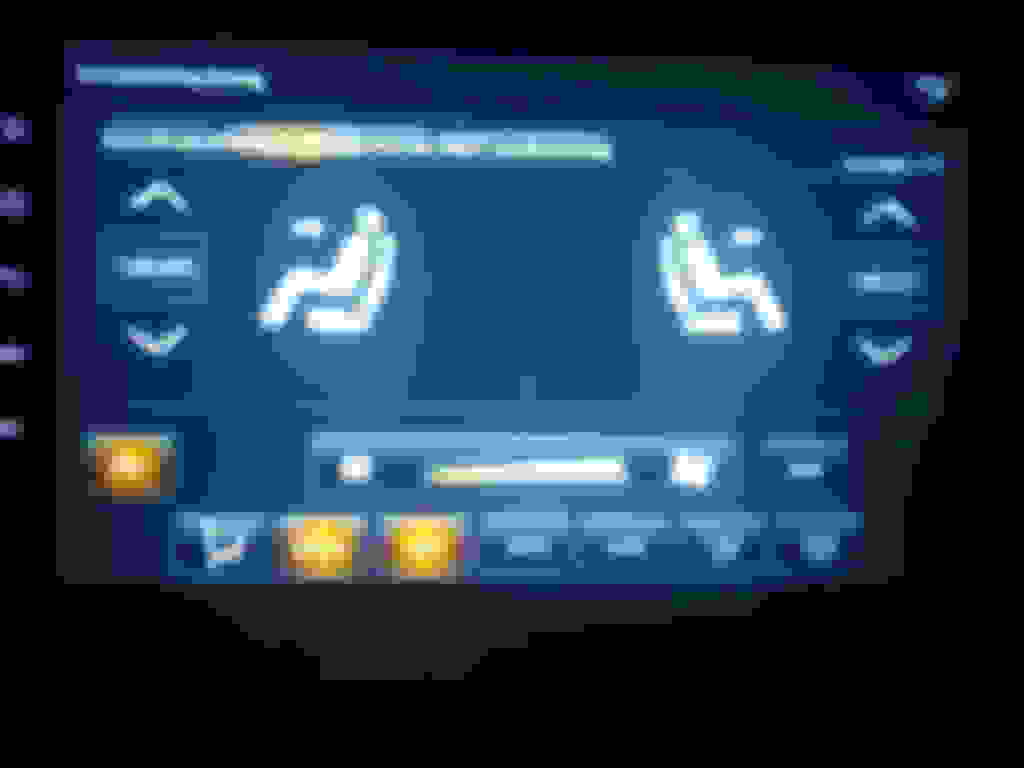
The AC controls work(ish) but are quirky. I have to press the fan on the screen to turn on/off the control, not power. I'm also not entirely sure the unit is accurate when it displays recirculate vs outside air. Forget the rear controls working. No temperature display.
The AC app randomly pops up when driving for no reason or when switching between screens.
The Home screen graphics aren't customizable. Several people have asked why I have what looks like a cheesy Mclaren hotwheels on the screen instead of my car.
The built in speedometer on the Home screen switched itself to mph a couple days after using the unit. However it flips between mph and kph randomly.
The factory Music app displayed on the Home screen has three songs loaded but the directory is not available in the file manager to add songs. It is not removable from the home screen either.
In a nutshell, expect your experience with the climate controls and radio to go down and some display cheesiness in exchange to have access to the newer technology in your car.
Glad it is working for you. What benefit are you looking for to alter wiring? With radio off you should be able to hear the recirculate vent open and close and the factory temp buttons when adjusted also affect the fan when in auto. If it is set to auto you shouldn't have to go there to turn it on. Only time I ever go to that screen is if I want more or less air before the auto calls for it. There is a setting on mine I think under general to set the AC to close and that keeps app from popping up when something changes in AC. I ran my antenna to top center of back windshield using top moldings and radio works fine with no static. For the home screen you can use any loader you want. Just download it and set as default home screen. I use Agama. Mine has the wireless android auto and car play but never use it as the full android experience is there anyway.
Update: I’ve tried this install twice now, following feedback from manufacturer Seicane. Tech support is present but it’s marginal at best. Not great. Still trying & hoping I simply didn’t get a BS sales job given it was NOT plug & play as I was assured, before buying. BUT…I am still attempting to validate if I didn’t do something correctly. I’ve taken meticulous photos of my progress depicting exactly what I’m doing/not doing. At issue, not surprisingly, is no climate control or rear camera functionality. They have replied and claim the harness is correct, and now are telling me to make an illogical / conflicting connection…putting an 18pin connector into a 20pin socket…into the Canbus…? They said to do it so I’ll try. Not expecting it’ll work, in which case I’ll just send the damn thing back…3 strikes and I’m out.
It would seem they’ve done away with (or at least with this company anyhow) the ability for an end user to select a Canbus protocol…with this generation of Android 12 unit. It’s nowhere to be found in their settings…and trust me I’ve looked…and looked. What IS working (when I have it connected, is car play, navigation, audio, etc. I feel like I’m nearly there. But having no climate or rear camera functionality is a hard No! for me, of course. Ain’t nobody got time for that. 😆
Took to and discussed w/ a couple of pro installers, for trouble shooting. Not surprisingly, they’re not big on this “Chinese crap.” We concluded that, given limited functionality (what IS working), the issue is either in the Canbus programming (or harness). So it’s difficult at best for a shop here to figure it out unless they happen to be employing a Canbus programmer.
Lastly, I’ve been told by several auto audio shops there is no viable solution for mainstream (Kenwood, Pioneer, etc.) replacement of existing Nav screen for a 2004 LS430. The only other option is to install a…Kenwood or similar, in place of or below the existing radio/tape/CD, thereby having two screens in the end. That would look goofy as hell in my opinion and I don’t want to destroy the beautiful dash that way (no judgement to those who disagree and/or who have done so - just not for me).
Alright, I’ll try and get to the third attempt this weekend, and advise further.
For those who may be interested, here’s a link to the photos and videos I have generated this far. You will miss some of the context not seeing the dialogue I’ve had with them but you’ll get the gist of it.
I also tried to install an Android screen in my 2003 Lexus, but I couldn't get the air conditioning speed control and the backup camera to work. I bought the unit on eBay and the vendor had me try different Cam settings but none worked. Unfortunately, I returned the unit but will do further research. I did notice that the plugs for the 2001-2003 and 2004-2006 navigation systems are different. None of the plugs matched the connectors plugged into the navigation system, seems like the harness I received was for the 2004-2006 Lexus. Thank you for all the information you provided.
Just wondering were I route my wiring for the new reverse camera to replace the ML camera. From the back of the unit RCA to the trunk. (Pics highly appreciated)
BTW Teyes cc3 2k works great, haven't had any issues with control. Plug and play on everything else besides the Reverse camera. Would recommend for anybody else. Just order what i need for the trim of my LS and installed it myself in 4 hours. I didn't get to do this setup how I wanted like I posted in a earlier message but I'm really happy with this at the moment. Some small software do's and donts just like everything else. If ur in Central valley Cali and looking for help hit me up!
Last edited by Z7USUDRV; Jul 13, 2023 at 05:29 AM.
Wow…. I just followed today this whole thread and you guys as a group are heroic and pioneers for all the work and research displayed.
I have a ‘92 SC300 and swapped out the OEM head unit for a 2012 Pioneer touch screen DVD. The unit had a backup camera option which I had the installer take advantage for that feature. Really cool having a BU camera on an over 30 year old car. With the blue tooth feature I can use my iPhone for cellular and Pandora along with a single CD/DVD player (yes, I can watch DVDs) along with a slot for a chip to house a substantial music library. Gave up cassette tape easily. Pretty spoiled.
When the wife gave me her hand-me-down LS430 ‘01 with Nav (in 2015) I did research a few options like the ones listed here. The only function I really wanted was a BU camera while using a BT FM transmitter via the iPhone for Pandora and WAZE navigation audio (the on board NAV maps are from 2001 and while displayed while driving hardly ever used at all). The BT/FM transmitter has a chip slot for a music library (albeit not user friendly to wade through a large collection).
But, back to all of this great information and all of the options you all have provided leaves me with more options to pursue. Not sure what if any direction I will go but this provides a lot to think about and assess what functions are important enough to chase. Thanks to all the contributors on this thread!
Hey, guys awesome info I think I'm going to buy the kk5 model. Just wondering if there have been any issues for anyone hooking up aftermarket amps such as whining noise/ crackling sounds. I saw a comment on the Aliexpress page that someone said they were having these issues. https://www.aliexpress.us/item/32568...yAdapt=glo2usa
10.1 Android Auto Install: cam wire carpet or trim?
I just installed this 10.1 inch Eonon Android auto touch screen in my 97 LS400, after someone tried to steal my Sony 7 inch.. Still have to run the backup cam wire from dash to rear. Does anyone know or have preference for easiest route?
I'm hoping you guys can help. It seems there is a ton of knowledge in this thread. I read most of it and didn't see anyone with my issues
2006 ML with Nav
Experiencing audio cutting out followed by factory radio powering off. This will happen even if no audio is being played. I have found a solution to this problem yet unacceptable lol. If I unplug the smaller connector on the back of the factory radio while playing it will not cut out or off.
The other issue I'm experiencing is no control of HVAC. I know this is a common issue but I have found an install video on YouTube where there is a single wire that connects to one of the plugs that went to the navigation unit. My wiring kit is missing this wire. I have attached some images of what I have. The circled parts of the wiring is the missing connector that I have. The circled parts on the radio are the lights that go out when the audio cuts out. The small wiring harness I’m pointing at is the one when unplugged while audio is playing eliminates the problem however you cannot leave unplugged and power off, it will not come on with this plugged g unplugged.
Hopefully I explained this okay 🥴
Last edited by CorbetJaxkson50; Mar 18, 2024 at 02:08 PM.
huge thank you! As you suggested in private message, disconnected the negative terminal on the battery and reconnecting did the trick.
these clowns also don’t even have the Lexus logo on the choices. I’m using the Toyota crown logo. Still working on the temperature from C to F. Outside temp is fixed but climate control still shows C. And still 18.5. So I know it’s not F with the wrong designation.
What's the chances you still own this car and can share your canbus settings?
Sorry to resurrect an old tread. Need some data from all who used their andriod radio with an aftermarket amp. Question is does your factory lexus **** control the volume or do you have to use the andriod slider from drop down menu to control volume.
My set up is 2001 LS430 UL with secaine andriod unit hooked with rca to aftermarket amp pushing all aftermaket subs. All climate controls work as supposed too. Mark Levinson is in tack and no bypass. The head unit is installed correctly.
But the issue is the factory lexus volume **** works but doesn't control anything hooked up to the andriod RCA or the andriod speaker line out. That's only able to be controlled by the andriod slider.
I've seen on YouTube people adding a sub thru the SUB out on andriod unit and keeping factory lexus **** controlling the ML factory system and also the sub amp hook thru the sub out RCA.
Any help would be appreciated. Other than this issue the system is great.











 Aftermarket amp and subs