


2008 Lexus iPod interface kit (merged threads)


Rookie
Joined: Aug 2006
Posts: 71
Likes: 0
From: ca

I called Longo Lexus today and they said they are selling the vaistech one for 299. install for 499. I asked why are they selling the aftermarket one and he had no reply. The official one is out tho right guys?

Pole Position
Joined: Jan 2008
Posts: 315
Likes: 2
From: California


Driver School Candidate
Joined: Mar 2008
Posts: 4
Likes: 0
From: Alabama
Hey everyone,
I just got the iPod interface kit (the Lexus brand, not VAIS) and my iPod plugs into a cord located in the glove compartment that I assume is connected to the back of the stereo. Anyway, I have heard people talk of browsing by artist/genre/playlist, etc. and was wondering how you do this?
So far, I've used the steering wheel controls to flip through songs (it says Track on the screen) and adjust volume, and I've used the "Tune/File" **** in the lower right corner to see the menu that reads "Artist, Album, Genre, Audiobooks, Shuffle All" but I see no way of selecting these options. Can someone with the device and the expertise please help? Thanks in advance.
I just got the iPod interface kit (the Lexus brand, not VAIS) and my iPod plugs into a cord located in the glove compartment that I assume is connected to the back of the stereo. Anyway, I have heard people talk of browsing by artist/genre/playlist, etc. and was wondering how you do this?
So far, I've used the steering wheel controls to flip through songs (it says Track on the screen) and adjust volume, and I've used the "Tune/File" **** in the lower right corner to see the menu that reads "Artist, Album, Genre, Audiobooks, Shuffle All" but I see no way of selecting these options. Can someone with the device and the expertise please help? Thanks in advance.


Driver School Candidate
Joined: Dec 2007
Posts: 30
Likes: 0
From: Puerto Rico
Hey everyone,
I just got the iPod interface kit (the Lexus brand, not VAIS) and my iPod plugs into a cord located in the glove compartment that I assume is connected to the back of the stereo. Anyway, I have heard people talk of browsing by artist/genre/playlist, etc. and was wondering how you do this?
So far, I've used the steering wheel controls to flip through songs (it says Track on the screen) and adjust volume, and I've used the "Tune/File" **** in the lower right corner to see the menu that reads "Artist, Album, Genre, Audiobooks, Shuffle All" but I see no way of selecting these options. Can someone with the device and the expertise please help? Thanks in advance.
I just got the iPod interface kit (the Lexus brand, not VAIS) and my iPod plugs into a cord located in the glove compartment that I assume is connected to the back of the stereo. Anyway, I have heard people talk of browsing by artist/genre/playlist, etc. and was wondering how you do this?
So far, I've used the steering wheel controls to flip through songs (it says Track on the screen) and adjust volume, and I've used the "Tune/File" **** in the lower right corner to see the menu that reads "Artist, Album, Genre, Audiobooks, Shuffle All" but I see no way of selecting these options. Can someone with the device and the expertise please help? Thanks in advance.
and use the memory #2 to browse by artist. Press #2 once and use the controls on the steering wheel to browse the names of the artist. It works like a channel. First channel #1 is the first artist alphabetically. to the last one.
To shuffle again press #5. I always have in shuffle but have a question.
Let's say while in shuffle I was listening to artist ABC, and then turn off the car, but once I started again it goes to play only songs form the last artist ABC. I have to press #5 every time I start the car to maintain the shuffle mode.
Hope that helps.
Rookie
Joined: Aug 2006
Posts: 71
Likes: 0
From: ca
I have purchased the Agent 47 from longo toyota (not lexus) 6 months ago and i love it. I installed it myself and on the nav screen it displays playlist, song, artist, title, browse, manual ipod control. i drilled a hole in my glove and it stays there while it charges. There is no limit on songs or albums either. i highly recommend it. It uses one of the sat ports but if u have sat radio it will still play because it has ports in the back to put the sat in. The only complaint i have, but its not a big one, is that u cannot change the track from the wheel. You can change the volume and everthing else but no track. u have to reach down on the radio to do so. Not a big deal just being lazy. Chris was real helpful with me and replaced the first one i had with no problem.

DO NOT go to Meade Lexus of Southfield in Michigan, the part guys there quoted me $600 to get it installed, and said it will take about 2 1/2 hours to do, which would only take them about 45 minutes. Even when I told him about the document that i have stated 299 MSRP installed, he says that's only for cars without a satillite radio. ridiculous! I'm gonna call their head office, this is just not right.

Rookie
Joined: Mar 2008
Posts: 55
Likes: 0
From: boston, ma
i've installed the usa spec interface. pa12? i think it is.
only complaint is that when i put the ipod on shuffle, and go to advance the track on the headunit or steering wheel, it cancels the shuffle and reverts alphabetically to the first album-song. kinda annoying.
only complaint is that when i put the ipod on shuffle, and go to advance the track on the headunit or steering wheel, it cancels the shuffle and reverts alphabetically to the first album-song. kinda annoying.

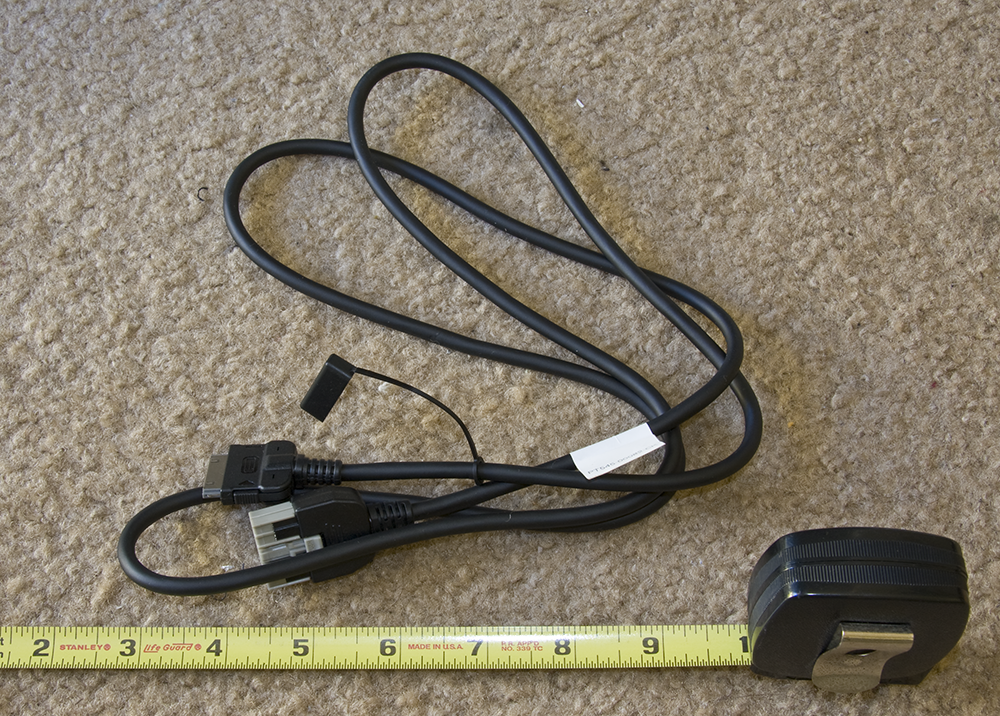
Some pics before it's hidden away forever. I'll post some installation and user interface shots tomorrow after its installed. Also, a couple of notes - the cable from the main unit to the harness is ~45 inches, and the cable from the harness to the iPod connector is ~55 inches, so it should give enough to allow some flexibility in choosing a location for installation.
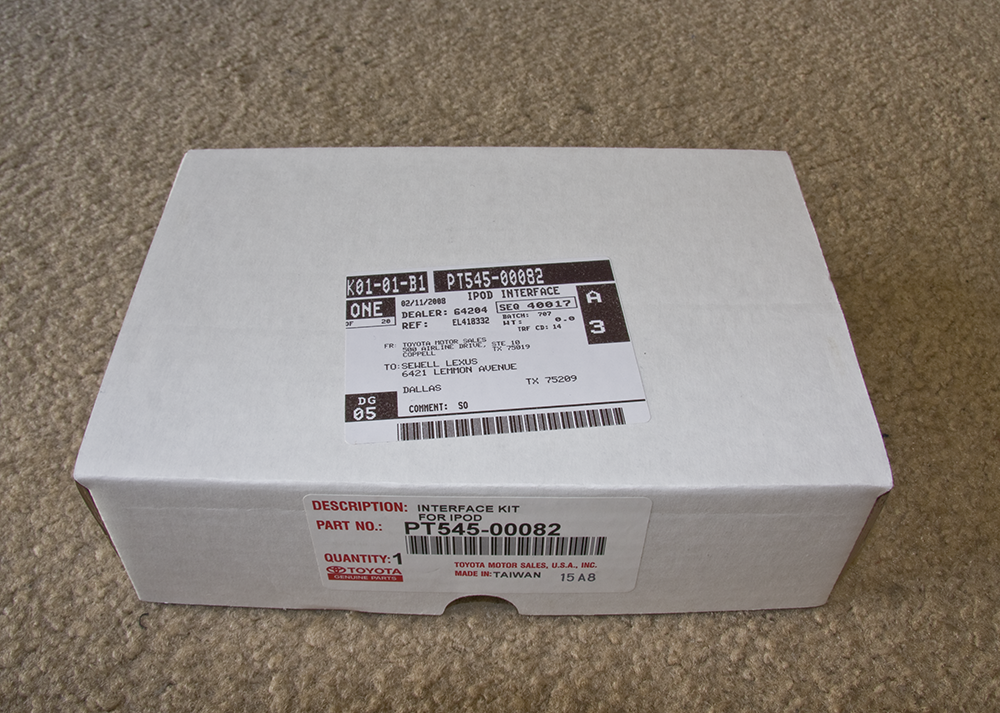
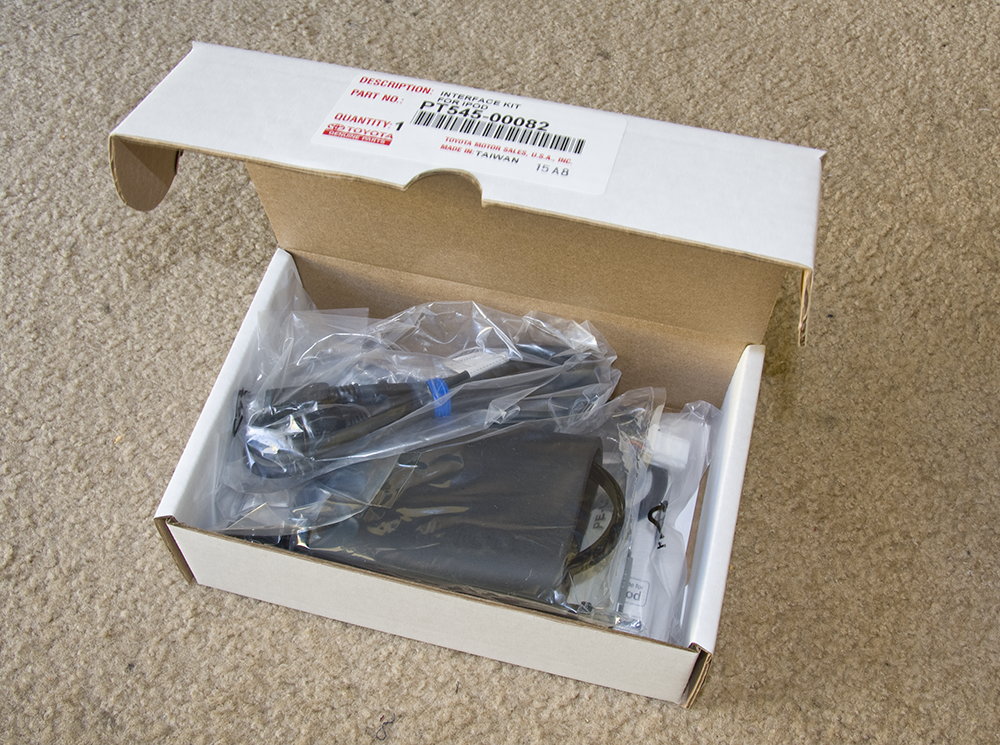
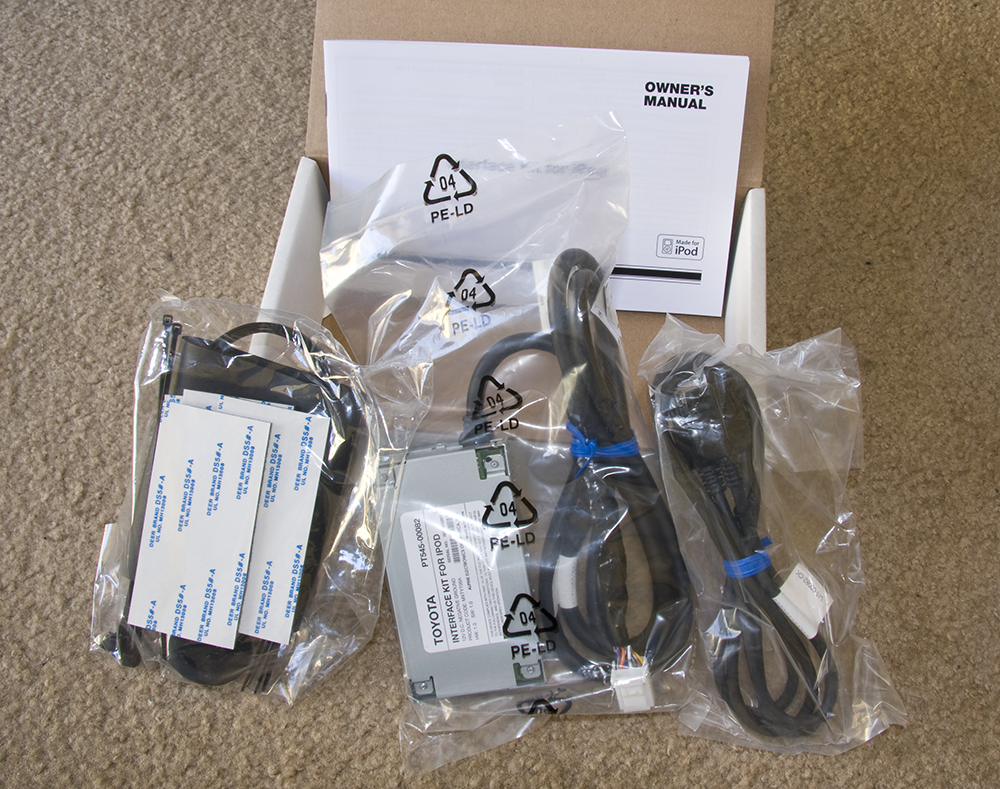
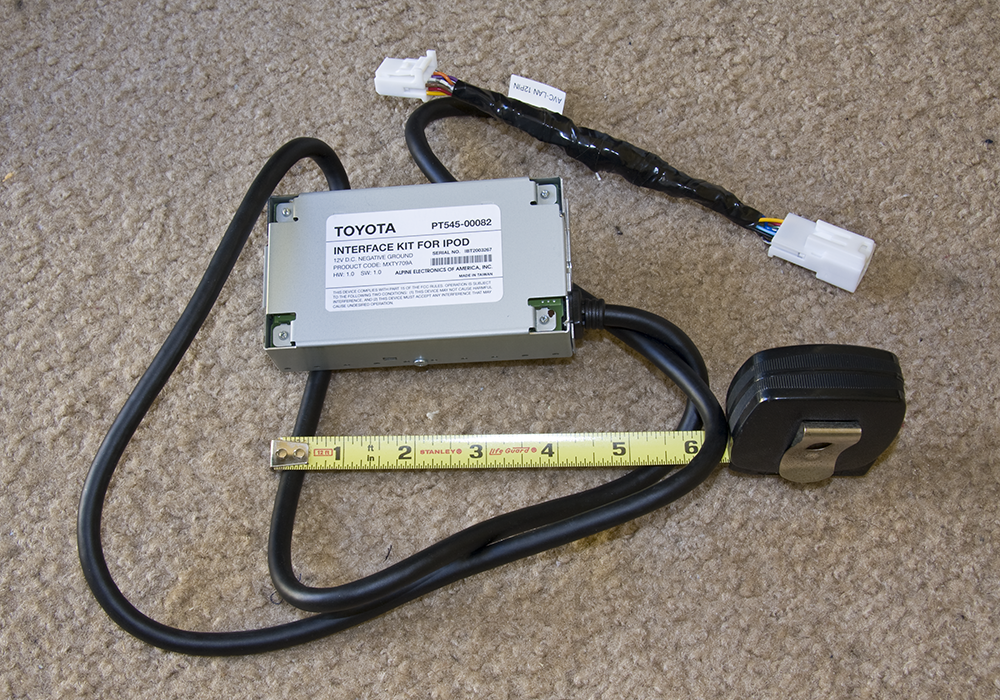
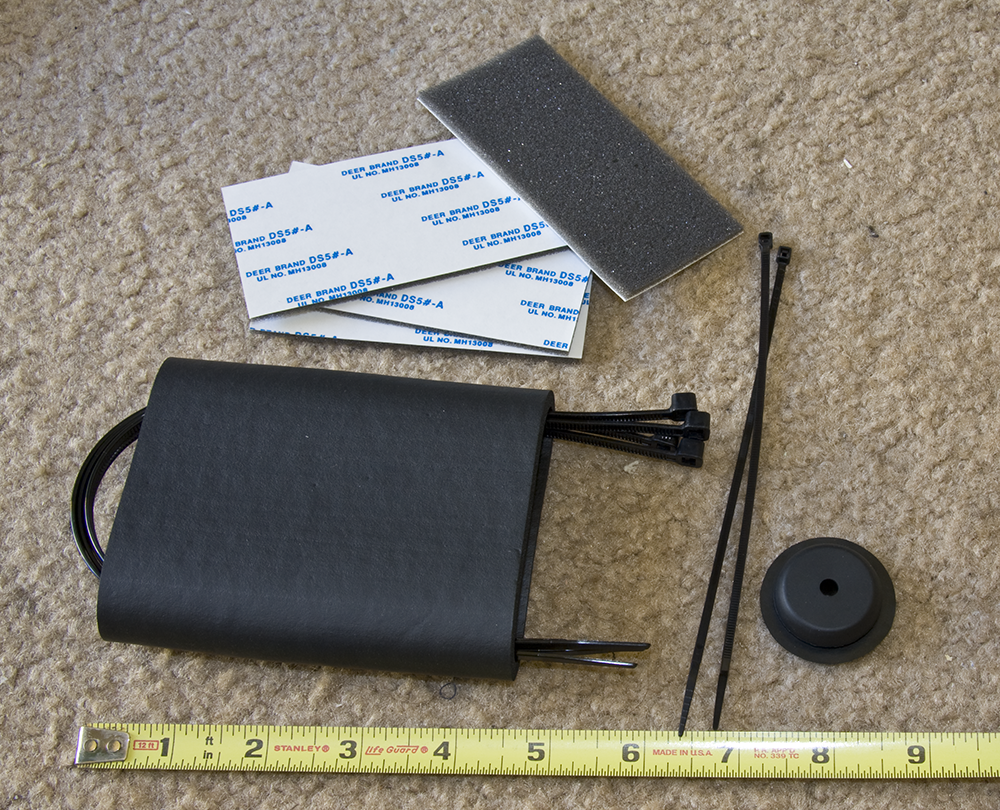
Big surprise, they include some anti-rattle foam and cushion...
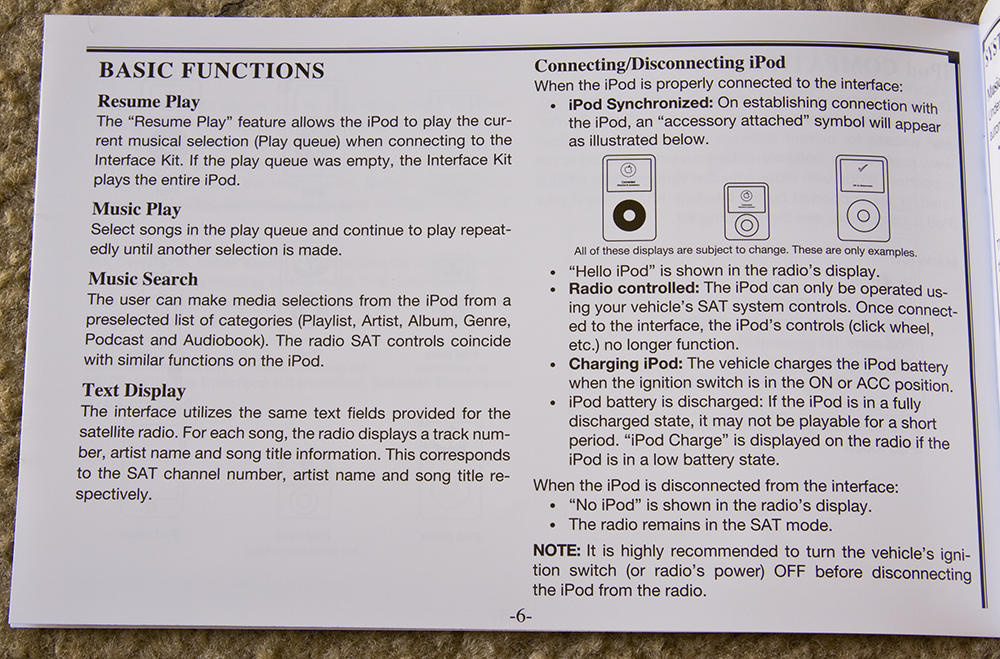
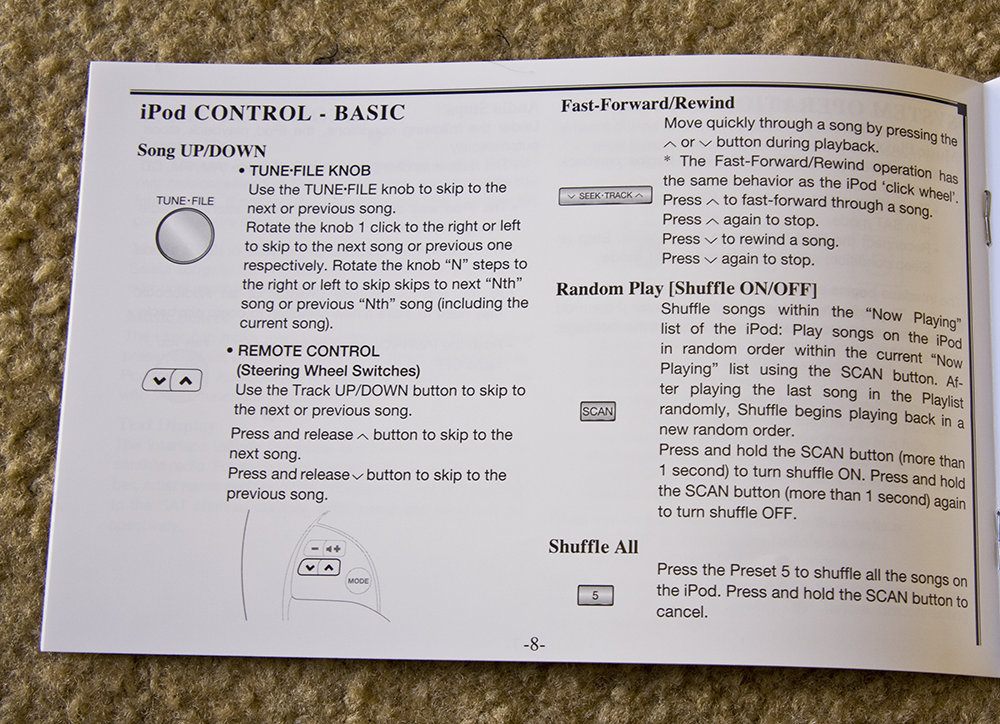
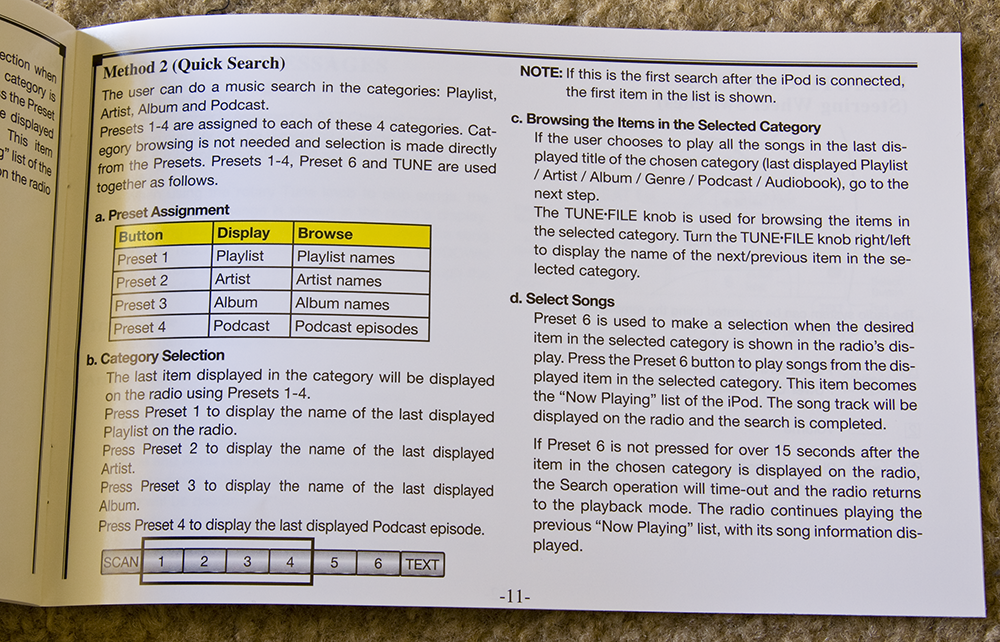
Some pages from the owner's manual:

Javier
Big surprise, they include some anti-rattle foam and cushion...
Some pages from the owner's manual:
Javier


