Notices
NX - 1st Gen (2015-2021)

System update available for '15 and '16 NX

Thread Tools
 
Search this Thread
 
Old Oct 26, 2016 | 08:54 AM
  #1  
GS3Tek's Avatar
GS3Tek
Thread Starter
CL Community Team
20 Year Member
Photogenic
Liked
Loved
iTrader: (8)
 
Joined: Jan 2003
Posts: 12,388
Likes: 181
From: so cal
Post System update available for '15 and '16 NX

I just saw this over at the 4 GS section and just checked it was available for 15 and '16 NX.
Looks like it's for the models with navigation.

Can't wait to do mine (I have a '16). I haven't had any bug though.

https://securedp.lexus.com/download-app/getHeadUnits

Get the latest software updates for your vehicle's multimedia system

Navigation
Software update available for this multimedia system.
Please click on the button below to proceed.

Have Your Flash Drive Ready


Install a blank flash drive with a recommended storage capacity of 2GB or larger into your PC.
Note : You can also contact your preferred Lexus Dealership to update your vehicle. There is no cost during warranty period.

Reply
Old Oct 26, 2016 | 09:53 AM
  #2  
d8168055's Avatar
d8168055
Pole Position
 
Joined: Jun 2016
Posts: 265
Likes: 38
From: California
Default

Hum, download button doesn't work for me...

EDIT: Downloaded from Safari browser on a Mac. Firefox and Chrome did not work for some reason.
Reply
Old Oct 26, 2016 | 12:29 PM
  #3  
jim256's Avatar
jim256
Lead Lap
15 Year Member
Liked
 
Joined: Jul 2006
Posts: 561
Likes: 39
From: NC
Default

Worked on Chrome for me, headed out to install.
Reply
Old Oct 26, 2016 | 12:48 PM
  #4  
jim256's Avatar
jim256
Lead Lap
15 Year Member
Liked
 
Joined: Jul 2006
Posts: 561
Likes: 39
From: NC
Default

Update: My '15 did not update. 7/15 production, with NAV. I inserted the flash drive, got to the Update Software step but the button was grayed-out. The instructions indicate I already have the update. For reference, it shows my Nav as V15A8872 and Operating as 16.8700. The download file was 13LHENNA-AB01_003.kwi. The web page said would be upgraded to V15A8910.(??).

Interested if any other '15's had success on actually upgrading. I had no issues with the process, the flash drive blinked a few times on insertion, no error messages. It does say "no music files found" if I withdraw and insert the flash drive while on the update screen, so it is reading.

Thanks.

Last edited by jim256; Oct 26, 2016 at 01:09 PM.
Reply
Old Oct 26, 2016 | 03:07 PM
  #5  
kent2174's Avatar
kent2174
Intermediate
5 Year Member
Liked
Loved
 
Joined: Feb 2016
Posts: 360
Likes: 47
From: California
Default

Worked for me using chrome on PC. Installed just fine on my 2016. How does the normal guy find out about these upgrades if they don't review CL?
Reply
Old Oct 26, 2016 | 04:07 PM
  #6  
TechNut's Avatar
TechNut
Pole Position
Veteran: Navy
10 Year Member
Shutterbug
Community Favorite
 
Joined: May 2013
Posts: 2,889
Likes: 834
From: Idaho
Default

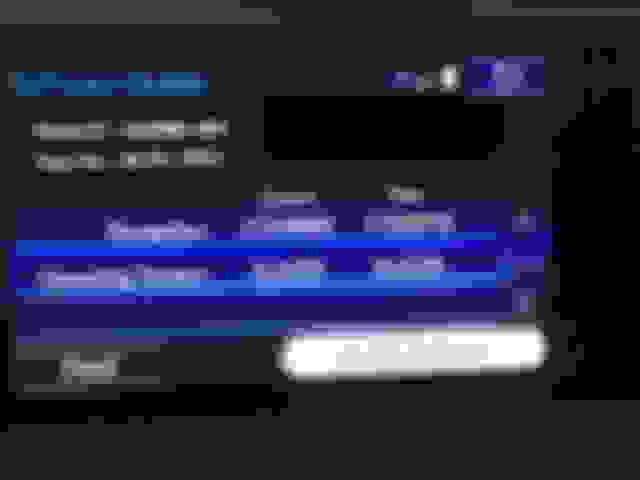
Worked fine for me. Browser shouldn't matter as it is simply a matter of downloading the file to a blank USB flash drive. Loaded to our 2016 NX 300h with a build date of 11/15. Image below shows the version information.
The only problem now is that all the text displays in Japanese. (kidding)
Reply
Old Oct 26, 2016 | 04:55 PM
  #7  
kent2174's Avatar
kent2174
Intermediate
5 Year Member
Liked
Loved
 
Joined: Feb 2016
Posts: 360
Likes: 47
From: California
Default

UPDATE TYPE - OPERATING SYSTEM
Your Lexus Vehicle has an available multimedia software update (Version V15A8910).

This update is designed to improve the performance of your multimedia system. Updates include the following:
-Voice Recognition is Inoperative
-Reset while making a turn off of the highlighted route
-Navigation system reboots intermittently

There may also be other enhancements included in the update. Click on the DOWNLOAD button to download the software....Hide
Reply
Old Oct 26, 2016 | 05:15 PM
  #8  
batchelor's Avatar
batchelor
Pit Crew
5 Year Member
Liked
Loved
 
Joined: Aug 2016
Posts: 240
Likes: 15
From: BC
Default

I attempted it, had no success. System did not recognize any new data on my flash drive.
Reply
Old Oct 26, 2016 | 05:24 PM
  #9  
batchelor's Avatar
batchelor
Pit Crew
5 Year Member
Liked
Loved
 
Joined: Aug 2016
Posts: 240
Likes: 15
From: BC
Default

Curious if there is any difference in updates as to market location? Do US updates work on Canadian vehicles and those in other markets?
Reply
Old Oct 26, 2016 | 05:41 PM
  #10  
TechNut's Avatar
TechNut
Pole Position
Veteran: Navy
10 Year Member
Shutterbug
Community Favorite
 
Joined: May 2013
Posts: 2,889
Likes: 834
From: Idaho
Default

It is really very easy, but plan for about ten minutes or so. Just save the downloaded file to a BLANK USB flash drive. Then insert in your car's USB slot. I used the top USB slot. Start your car (with your foot on the brake - the engine needs to be on). Go to Menu, General, scroll down to Software Update. It should discover the file on the flash drive and display an image like the one I posted earlier on this thread (assuming you actually need the update). Just click on the "Install Update" and wait about 8 to 10 minutes while the file downloads. Then it will display a message that tells you to shut the engine off, and immediately turn it back on. You will get another status bar after restarting the car that lasts about 60 seconds while it loads the new version. Don't touch anything, including the "continue" button until the map displays. That's all.

Reply
Old Oct 26, 2016 | 07:06 PM
  #11  
typocl's Avatar
typocl
Instructor
 
Joined: Jan 2015
Posts: 785
Likes: 37
From: CA
Default

worked just fine on my NX as well as IS250

My USB drive was formatted as FAT32.
Reply
Old Oct 26, 2016 | 07:14 PM
  #12  
d8168055's Avatar
d8168055
Pole Position
 
Joined: Jun 2016
Posts: 265
Likes: 38
From: California
Default

UPDATED! Took less than 10 mins. Just follow the onscreen prompts and what @Ward6096 described.

If your wondering, you do not have to use a blank USB stick, I had a 8GB with about 5GB left.

Also, you do not need to start the engine; just turn to IGNITION ON mode by pressing the start button twice WITHOUT depressing the brake pedal.
Reply
Old Oct 26, 2016 | 07:54 PM
  #13  
TechNut's Avatar
TechNut
Pole Position
Veteran: Navy
10 Year Member
Shutterbug
Community Favorite
 
Joined: May 2013
Posts: 2,889
Likes: 834
From: Idaho
Default

Originally Posted by d8168055
UPDATED! Took less than 10 mins. Just follow the onscreen prompts and what @Ward6096 described.

If your wondering, you do not have to use a blank USB stick, I had a 8GB with about 5GB left.

Also, you do not need to start the engine; just turn to IGNITION ON mode by pressing the start button twice WITHOUT depressing the brake pedal.
Thank you for those clarifications. I was merely quoting the instructions from the web site so it's nice to know there is some flexibility.
Reply
Old Oct 27, 2016 | 06:27 PM
  #14  
McM61's Avatar
McM61
Rookie
10 Year Member
 
Joined: Oct 2010
Posts: 25
Likes: 3
From: Washington
Default

Updated installed. Thanks
Reply
Old Oct 27, 2016 | 06:40 PM
  #15  
nickage87's Avatar
nickage87
Driver
 
Joined: Sep 2016
Posts: 80
Likes: 12
From: NY
Default

Didn't work for me with 64GB card, formatted with exFat or NTFS, had to use 16GB FAT32.
Reply


All times are GMT -7. The time now is 04:14 AM.