When you click on links to various merchants on this site and make a purchase, this can result in this site earning a commission. Affiliate programs and affiliations include, but are not limited to, the eBay Partner Network.
I too had trouble finding #1 button for the garage door opener at night.
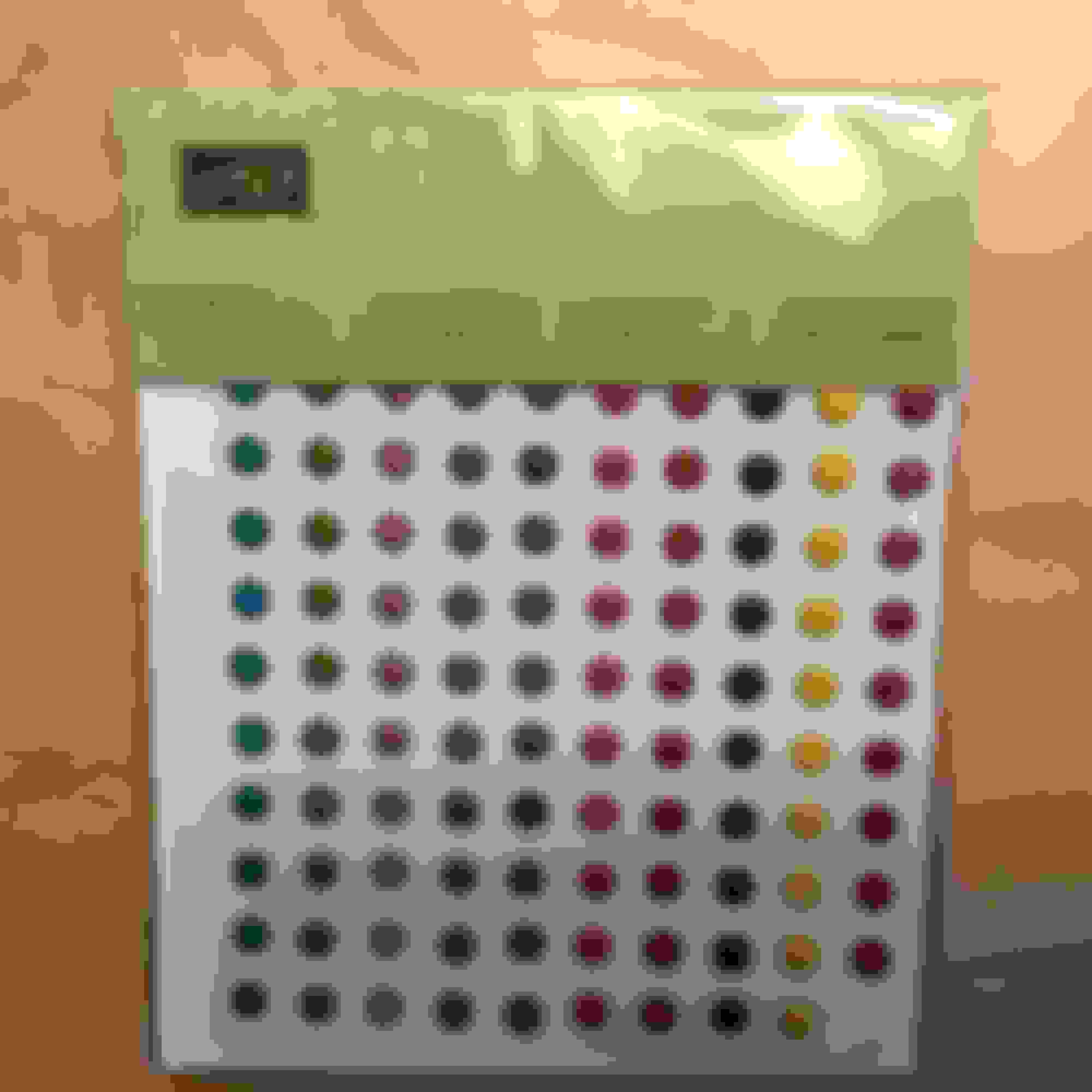
I borrowed a design from the Highlander, which has small braille-like protrusions on the buttons. I affixed what my wife expertly calls a "Self-adhesive card-making dot embellishment" to the #1 button. Now, I just reach up to where I think the button is, and locate it easily with the raised dot. Works like a charm. #2 and #3 are just to the right of the dot, easily found by touch.
Here are two pix for your perusal. Ray A.
Ray, This has been an issue since the intro in 2010 of the Gen III models. As these cars are extremely high tech don't you know that an over simplified fix just isn't acceptable ???
Sorry, just had to have some fun here . You've just solved an issue that has plagued us for several years now with a really simple outside the box fix. Lexus actually did fit a tiny LED light up there that you can use your hand to reflect the light back to the buttons with but you also need really good night vision. Some folks have pulled the panel apart trying to find a way to back-light the buttons. Great Job .
Now in the vein of still having some fun LOL ...
Can you provide 'color by feel' buttons for folk with three different setups in their Homelink buttons for three different openers ???
Originally Posted by raylor4
I too had trouble finding #1 button for the garage door opener at night.
I borrowed a design from the Highlander, which has small braille-like protrusions on the buttons. I affixed what my wife expertly calls a "Self-adhesive card-making dot embellishment" to the #1 button. Now, I just reach up to where I think the button is, and locate it easily with the raised dot. Works like a charm. #2 and #3 are just to the right of the dot, easily found by touch.
Here are two pix for your perusal. Ray A.
Ray, This has been an issue since the intro in 2010 of the Gen III models. As these cars are extremely high tech don't you know that an over simplified fix just isn't acceptable ???
Sorry, just had to have some fun here . You've just solved an issue that has plagued us for several years now with a really simple outside the box fix. Lexus actually did fit a tiny LED light up there that you can use your hand to reflect the light back to the buttons with but you also need really good night vision. Some folks have pulled the panel apart trying to find a way to back-light the buttons. Great Job .
Now in the vein of still having some fun LOL ...
Can you provide 'color by feel' buttons for folk with three different setups in their Homelink buttons for three different openers ???
Jim,
The dot is Matador Red Mica, matching the exterior, therefore acceptable. : )
We could mod the mod by using two dots on the #2 button and three on the #3 ala Highlander, but as to 'color by feel', I think we'll leave that one to someone that does "Ted" lectures, or the Apple corporation. They seem to know everything.
Ray A.
Very nice. With the other option of holding your hand up there to reflect the LED light on it, you have to take your eyes off the road, which is a problem if you're still driving. This is brilliant in that you can reach up there and feel around. Not bad. Luckily Lexus has fixed this issue in the latest models where these buttons are on the mirror and backlit.
Ray, This has been an issue since the intro in 2010 of the Gen III models. As these cars are extremely high tech don't you know that an over simplified fix just isn't acceptable ???
Sorry, just had to have some fun here . You've just solved an issue that has plagued us for several years now with a really simple outside the box fix. Lexus actually did fit a tiny LED light up there that you can use your hand to reflect the light back to the buttons with but you also need really good night vision. Some folks have pulled the panel apart trying to find a way to back-light the buttons. Great Job .
Now in the vein of still having some fun LOL ...
Can you provide 'color by feel' buttons for folk with three different setups in their Homelink buttons for three different openers ???
Perhaps you could find stickers in other shapes? Triangle? Square? Not positive it would work but it's a thought.
Kimberly, my wife suggests crystal dots....ladies love bling.
I used the garage door opener tonight for the first time in the dark. I like the feel of the dot under my finger.
Perhaps you could find stickers in other shapes? Triangle? Square? Not positive it would work but it's a thought. Kimberly
Unfortunately I've never been able to get my homelink to work. So my remote attached to the visor is easy to find in the dark.
Hi Roger,
I'm sorry your homelink doesn't work. I remember reading here a while back that the directions that come with some garage door openers are incorrect or the directions in the Lexus manual are incorrect. I also remember reading that some garage door openers are not compatible with some Lexus models. Good luck.
I had trouble getting my Highlander to link up with my garage door opener, but perseverance and re-reading the instructions did the trick. Try Googling "How do I link _________ brand garage door opener with _______ year Lexus RX 350". I have great results with Googling questions. Hope this helps.
Ray A.
...and while this isn't new news, for those wanting to try a non-Lexus set of instructions how to connect their Homelink with most any supported device, IMHO, the Homelink site has a pretty good tool at the top of their homepage you may want to check out. (While it supports many other older models, for whatever reason, it only supports RX 2011-present.)
Most Homelink setups are a two stage process now. 1st stage is holding your garage remote very close to your Homelink button and simultaneously pushing both buttons (remote and Homelink button) until the Homelink lights flash in pattern as written in your owners manual. Then climbing a stepladder (2nd stage) and pushing the required reset button in your garage door opener and getting to your car inside of 30 seconds to push your Homelink button (usually at least twice) until it controls the door. This procedure will work with most rolling code devices today and won't upset the Homelink already working in your other cars.
The 1st stage is to marry your garage remote to your Homelink. The 2nd state is to identify your Homelink to your garage door opener. Understanding the process should make it easier.



 Garage Door Opener Tip (mini-mod)





 ???
??? . You've just solved an issue that has plagued us for several years now with a really simple outside the box fix. Lexus actually did fit a tiny LED light up there that you can use your hand to reflect the light back to the buttons with but you also need really good night vision. Some folks have pulled the panel apart trying to find a way to back-light the buttons. Great Job
  .
. ???
???


