When you click on links to various merchants on this site and make a purchase, this can result in this site earning a commission. Affiliate programs and affiliations include, but are not limited to, the eBay Partner Network.
I have been using the Bluetooth connection to my iPhone 6+ with no issues. The only quirk is when I have to charge my phone and use bluetooth at the same time. I call it a quirk bec. depending on when I plug the charger in I sometimes have to go back into the dashboard menu and select "bluetooth" (over "my iPhone" bec. the "my iPhone" interface doesn't show all the info. that bluetooth does). The USB cable is always plugged directly into 1 of the 2 USB ports under the arm rest.
So here's the issue: I purchased a new USB cable (http://www.bestbuy.com/site/insignia...&skuId=9200132) from BestBuy but now whenever I charge my phone (ie. plug in the cable), nothing plays back on Bluetooth! The only difference is the cable. It used to work using the Apple cable; the Insignia cable doesn't seem to work.
I know I could post this on other boards but I'm hoping someone could help here
Last edited by AustinHusk; May 3, 2016 at 10:46 PM.
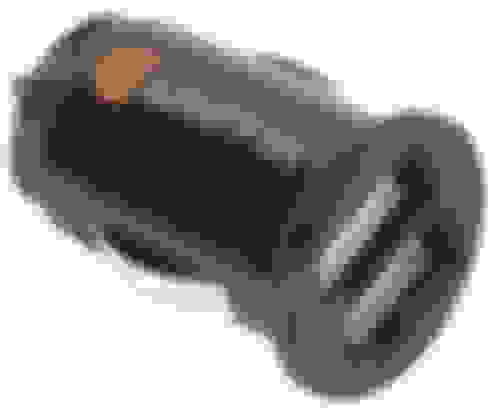
If you are always going to use bluetooth, get a cigarette port USB charger and plug the usb into that. When the phone talks to the car it thinks you want to send audio out of the dock connector. If you don't want to do that then you need to bring up "control center" i think its called on the phone when this is happening. you do this by swiping up from the bottom part of the screen to show you the options screen. click the bottom right where it will probably say dock connector or whatever it says and select the bluetooth device as the output option.
https://support.apple.com/en-us/HT202769 This is what I am talking about, and how to use it. Its the airplay icon you are looking to choose to select bluetooth.
Use the USB port(s) for non phone devices -Pods/Pads/flashdrives
USB overpowers the BT connection and it glitches as you have seen.
jamodeo is correct, charge using the 12v DC power point and let the
Media and Phone both use BT. You can even have Waze or Maps
speak through the car speakers and segue in and out of calls.
Additional benefit of the USB media device connection is the ability
to use Voice Commands - "Play Clapton" and it will find tracks in the
wired device to play. We have a early iPod loaded up with tunes and
just leave it buried under the sunglasses in the console. It's on all the
time/charges whenever the car is running/portable to rental cars...
To keep the phone/devices charged while using bluetooth use:
The shorter adapters are more flush and don't stick out. I have two adapters in the car, for the front and rear passengers to keep the devices charged on long trips.
The shorter adapters are more flush and don't stick out.
Great advice because details matter. Anyone can buy a cig plug USB adapter, but getting the right one is critical IMHO. Would you rather have one that's a gigantic eyesore or an elegant hide-away solution? Keep it out of sight and out of mind when it's not in use.
If you are always going to use bluetooth, get a cigarette port USB charger and plug the usb into that. When the phone talks to the car it thinks you want to send audio out of the dock connector. If you don't want to do that then you need to bring up "control center" i think its called on the phone when this is happening. you do this by swiping up from the bottom part of the screen to show you the options screen. click the bottom right where it will probably say dock connector or whatever it says and select the bluetooth device as the output option.
https://support.apple.com/en-us/HT202769 This is what I am talking about, and how to use it. Its the airplay icon you are looking to choose to select bluetooth.
-Joe
Thanks Joe.
OK, so I think I figured it out I plugged the orig. Apple/iPhone cable and it did the same thing, so cable issue was ruled out.
I played with it a couple of times and then figured out that it was just a simple issue of WHEN I was plugging in the cable: If it's plugged in AFTER the BT connects then it overrides BT and in the process stops/pauses the podcast! Duh. This is what was driving me nuts. I didn't look close enough to see that the podcast had stopped but even then that's just 1 part of the puzzle. The 2nd part is to then select the right interface from the bottom of the podcast app - which in my case is selecting "iPhone bluetooth" (which deselects "Lexus LS" - the USB interface). But this only happens when the cable is plugged in after BT connects. If the cable is plugged in first and then the BT connects after 4-5 secs, then no issue
On that note, a few ?s on the pic below:
1) What are those 2 white markers (shown with red arrows)?
2) Are the 2 USB ports identical (ie. USB 2.0, 3.0, only charge, etc)?
3) I've noticed that my iPhone takes very long to charge when connected to either USB port. How many amps do these put out?
Last edited by AustinHusk; May 4, 2016 at 11:38 PM.
I import and wholesale phone accessories for a living. I would steer clear of those USB adapters off stores like 7-11 counters. The $5 cheapies. The listed power on those things are fake labels.
I would imagine the car's USB ports are 800 mAh, not sufficient enough for today's smart phones. There are apps in the store, you can measure the charging amps. I use the free one for testing.
Name brand is the way to go on these. same with cables. the cheap china cables are not MFI approved cables. You will get error messages (iphone devices only) and slow charging rates. Also, your adapter is only good if your cable is good too.
Those are the indicators for the AUX in port, kinda just looks like shape guides for telling you what kind of cord goes in there I guess.
-Joe
Thanks Joe.
What about
2) Are the 2 USB ports identical (ie. USB 2.0, 3.0, only charge, etc)?
3) I've noticed that my iPhone takes very long to charge when connected to either USB port. How many amps do these put out?
2) Are the 2 USB ports identical (ie. USB 2.0, 3.0, only charge, etc)?
3) I've noticed that my iPhone takes very long to charge when connected to either USB port. How many amps do these put out?
Sorry pal, I don't know the answers to those questions. I am guessing its usb 2 because there wouldn't be any real need for the enhanced data rate of 3.0, and I believe they both talk to the system (as in, one isn't just for charging) but I honestly don't know for 100% because I don't have two in my car.
My iPhone (6S+) charges fairly quick when plugged into my usb, but I only have one port in my 2013 and there are many variables that go into how the device charges so it will be hard for me with limited knowledge on the topic to assist. I only use OEM cords purchased directly from apple because I don't like dealing with the cheap ones since they sometimes have odd issues. I know its more expensive but I don't like the hassle of a drained phone. Have you tried just using an apple cord in there?



 iPhone USB Cable issue




 I plugged the orig. Apple/iPhone cable and it did the same thing, so cable issue was ruled out.

