


Installation: 2nd gen IS Ipod Integration.


Thread Starter
Pole Position
Joined: Jan 2006
Posts: 347
Likes: 0
From: MD
 Installation: 2nd gen IS Ipod Integration.
IPOD Solution on 2nd Gen IS:
Things that you need - a)90° car charger adaptor.
http://www.radioshack.com/product/in...tId=2062264&cp
b)Auto Kit for iPod w/ Dock Connector.
http://catalog.belkin.com/IWCatProdu...duct_Id=149006
c)Minijack Ground Loop Noise Isolator. (MUST for the sound qulity)
http://www.crutchfield.com/S-pqKDOXx...+loop+isolator
d)Regular (or gold platted) male to male cable.
http://www.crutchfield.com/S-pqKDOXx...14&I=043182970
Installation:
1)install 90° charger adaptor into your ordanary outlet.
2)install item b) into one of the outlet of your new adaptor.
3)install item c) into your AUX output.
4)install item d) between your item b) and item c).
5)Enjoy your new car audio!!
Pictures
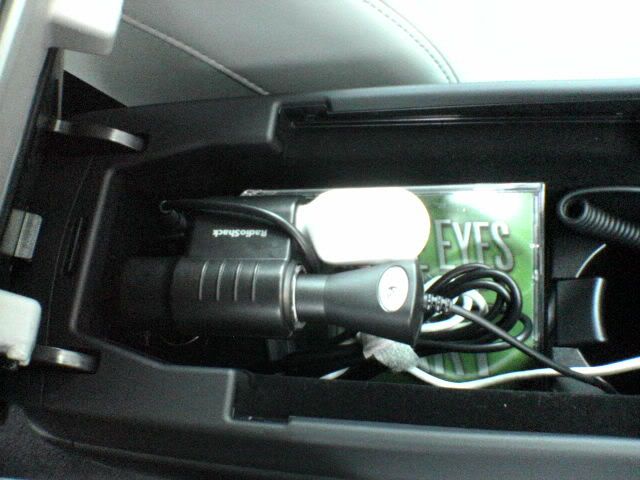
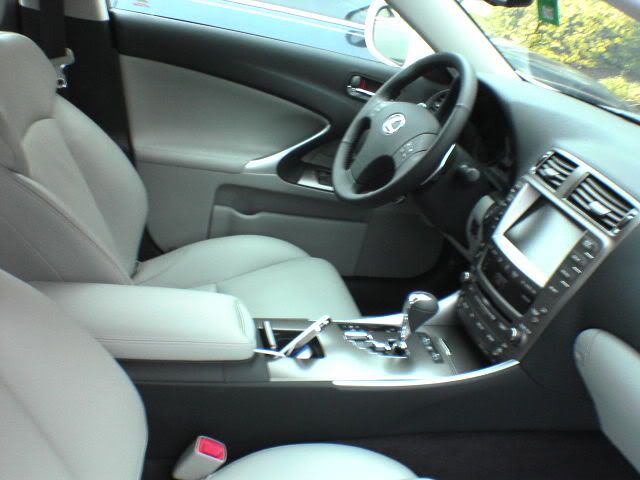
Edit: Altered first two URLs. thanks.
Things that you need - a)90° car charger adaptor.
http://www.radioshack.com/product/in...tId=2062264&cp
b)Auto Kit for iPod w/ Dock Connector.
http://catalog.belkin.com/IWCatProdu...duct_Id=149006
c)Minijack Ground Loop Noise Isolator. (MUST for the sound qulity)
http://www.crutchfield.com/S-pqKDOXx...+loop+isolator
d)Regular (or gold platted) male to male cable.
http://www.crutchfield.com/S-pqKDOXx...14&I=043182970
Installation:
1)install 90° charger adaptor into your ordanary outlet.
2)install item b) into one of the outlet of your new adaptor.
3)install item c) into your AUX output.
4)install item d) between your item b) and item c).
5)Enjoy your new car audio!!
Pictures
Edit: Altered first two URLs. thanks.
Last edited by aznevoviii; Feb 20, 2006 at 12:42 PM.


Liquid Bra Champion
Joined: Aug 2005
Posts: 2,831
Likes: 145
From: ƒ(x)
Originally Posted by 4TehNguyen
i would much rather have the ipod near the center console so i can control it and look for a specific song if i wanted
Originally Posted by TimboIS
If you have real integration you never need to touch your iPod! You can see everything on the nav screen.
 If I were to get a non Nav IS it doesnt have a LCD in place of it correct?
Trending Topics
Liquid Bra Champion
Joined: Aug 2005
Posts: 2,831
Likes: 145
From: ƒ(x)
Originally Posted by 4TehNguyen
i dont plan on getting nav If I were to get a non Nav IS it doesnt have a LCD in place of it correct?
If I were to get a non Nav IS it doesnt have a LCD in place of it correct?
Driver School Candidate
Joined: Feb 2006
Posts: 11
Likes: 0
From: Texas
So to clarify:
1- Once complete, the ipod info is displayed and can be controlled from the NAV? Can it be changed when the car is in motion?
2- Since nothing "invasive" was done, no warranty void issues?
Thanks.
1- Once complete, the ipod info is displayed and can be controlled from the NAV? Can it be changed when the car is in motion?
2- Since nothing "invasive" was done, no warranty void issues?
Thanks.
Thread Starter
Pole Position
Joined: Jan 2006
Posts: 347
Likes: 0
From: MD
to Sillgoing's answers,
1- No, you would not have a control on your navi screen, you only can change the track over the ipod itself.
2- It would not void warranty.
Also, Yes, the center console still closes and opens correctly.
thanks.
1- No, you would not have a control on your navi screen, you only can change the track over the ipod itself.
2- It would not void warranty.
Also, Yes, the center console still closes and opens correctly.
thanks.

Driver School Candidate
Joined: Jan 2006
Posts: 37
Likes: 1
From: Florida
The radioshack 90 degree is required. The cover won't close with just the belkin...
A question. Do you have to unpluf the beling from the outlet once you stop for the day? or it will drain your battery?
Also, do you have to turn off the ipod or the Just pause trick still works once the car is not running???
That's the same set up I have and it works great. I still need the Noise/ground loop reducer but is not that bad once the music is playing.
regards,
Joel
A question. Do you have to unpluf the beling from the outlet once you stop for the day? or it will drain your battery?
Also, do you have to turn off the ipod or the Just pause trick still works once the car is not running???
That's the same set up I have and it works great. I still need the Noise/ground loop reducer but is not that bad once the music is playing.
regards,
Joel


Lead Lap
Joined: Jan 2006
Posts: 759
Likes: 0
From: MA
Originally Posted by kensteele
I'm not very happy with this setup (not true integration) and will be upgrading the minute a solution is available.