When you click on links to various merchants on this site and make a purchase, this can result in this site earning a commission. Affiliate programs and affiliations include, but are not limited to, the eBay Partner Network.
Has anyone used one of these? I have been going back and fourth with their customer support. Doesn't work with either of my lexus vehicles from this era. Works on my 98 tahoe though. They have no idea, i honestly don't believe they work with these vehicles
I have had the OBDLink MX+ scanner for over a year and use it every time I drive to keep an eye on temps and fuel trims.
I have an iPhone and am connecting to the device via Bluetooth.
Are you using their OBDLink app? Did you download the correct Toyota/Lexus features pack for your year?
What exactly is not working?
I have had the OBDLink MX+ scanner for over a year and use it every time I drive to keep an eye on temps and fuel trims.
I have an iPhone and am connecting to the device via Bluetooth.
Are you using their OBDLink app? Did you download the correct Toyota/Lexus features pack for your year?
What exactly is not working?
i have a note 10+, i am using their app, i have not downloaded anything toyota or lexus specific i dont know anything about that. When i try to connect i get a error saying that the app is connected to the reader but the reader is not connected to the vehicle
Last edited by Squirrel1; Dec 16, 2020 at 07:17 AM.
Make certain that the reader is pushed fully into the ODB2 socket.
I had a problem last year with my ODB2 reader and my TechStream cable.
In both cases I simply hadn't pushed the plug in firmly enough. <DOH!>
i have a note 10+, i am using their app, i have not downloaded anything toyota or lexus specific i dont know anything about that. When i try to connect i get a error saying that the app is connected to the reader but the reader is not connected to the vehicle
I presume the ignition is "ON" when you're trying to connect?
In the app, go to Settings > "Get Enhanced OEM Add-Ons" > "Toyota, Lexus, Scion" > Select your Year > "Get"
Settings > "Preferences" > "Communications":
What do your settings look like?
For reference, mine are attached.
For my 02 ls430 I could not get the obdlink app to connect, even purchased the lexus toyota pack. I check back every so often in case they fixed it but still won't connect with their app.
After trying *lots* of different apps I eventually found an app that does connect with the ls430 using my obdlink mx+ adaptor
Its called car scanner. The free version works fine. I paid for pro to support the developer cause the app is great and still to this day the only one Ive tried that will actually make a connection with the ls430.
Be aware the first time you connect it will take about 10 minutes (engine running) as it works through lots of setting combos automatically until finally getting to the working combination. (iso14230 from recollection) Once its got the settings worked out it connects in about 10 seconds (engine on or off doesn't matter)
Attached below are screenshots of my connection settings and the app to help find the right one in the play store.
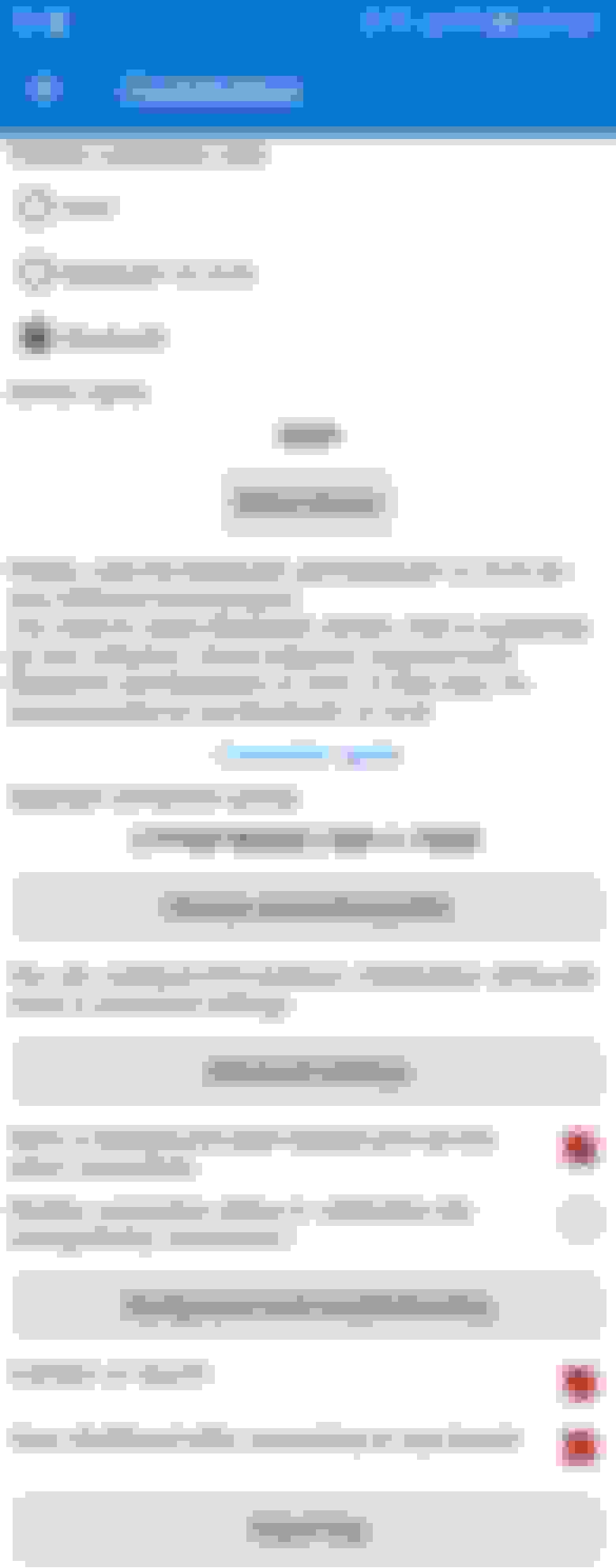
Settings - note it would not connect when toyota or lexus profiles are selected but 'other brand obd' works.
Advanced settings
Hope that helps get your obdlink mx talking with your ls430.
Cheers



 OBDLinkMX+ does it work?