Notices
LC Model (2018-present)

Navi screen question

Thread Tools
 
Search this Thread
 
Old Jun 18, 2021 | 10:04 AM
  #1  
redhot47fl's Avatar
redhot47fl
Thread Starter
Intermediate
 
Joined: Sep 2020
Posts: 379
Likes: 267
From: Florida
Default Navi screen question

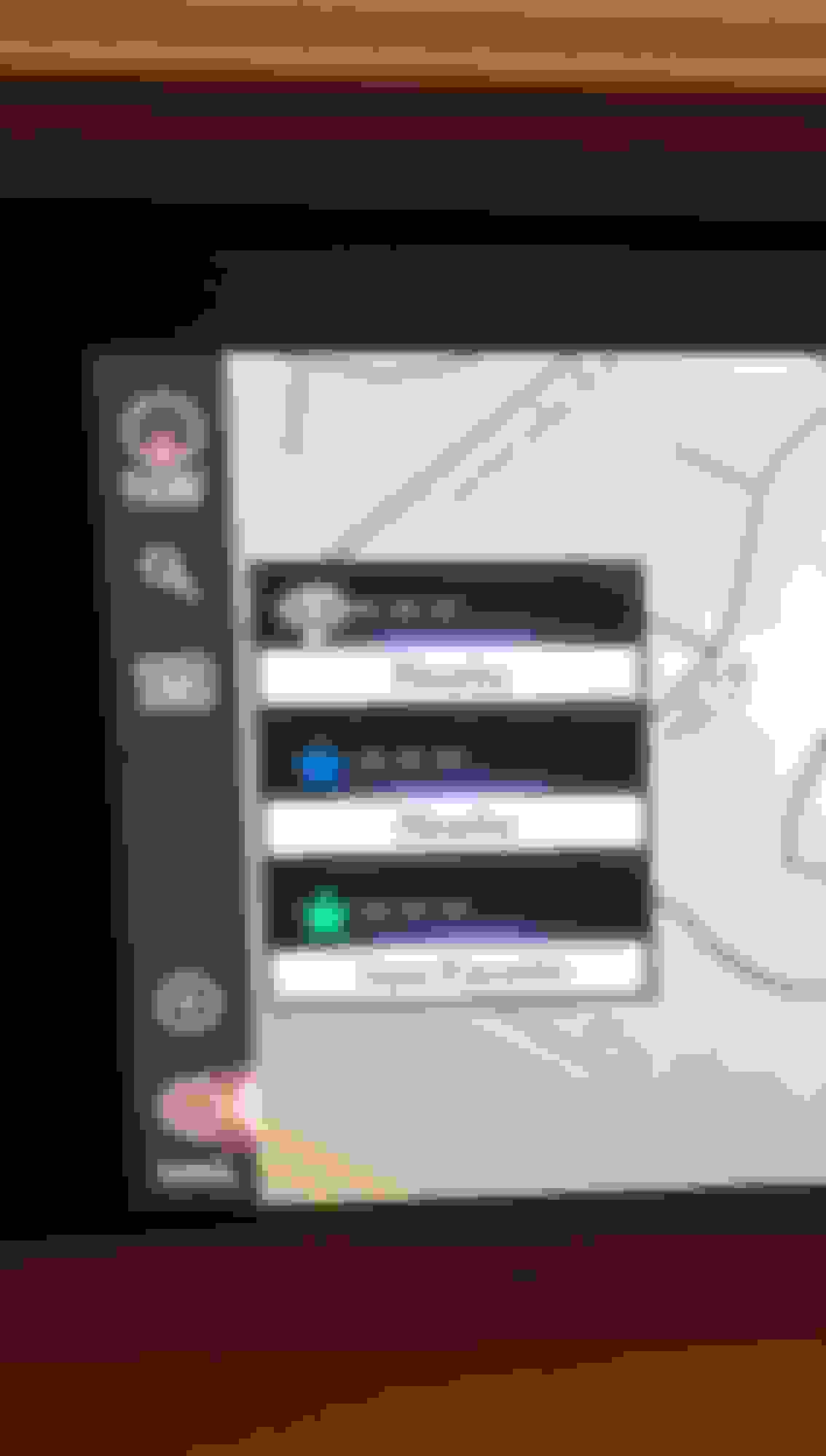
These three boxes along the left margin suddenly started appearing on my default navi screen. I can't quite figure out what they are, though apparently they're related in some way to POIs. The point is, I want to get rid of them. I've looked at the manuals and the configuring options, and I'm at a loss. Any one know how to get rid of these boxes as a default setting?


Last edited by redhot47fl; Jun 18, 2021 at 11:01 AM.
Reply
Old Jun 18, 2021 | 10:47 AM
  #2  
bitkahuna's Avatar
bitkahuna
CL Community Team
iTrader: (20)
 
Joined: Feb 2001
Posts: 80,471
Likes: 3,827
Default

not sure about that but with the GPS sign and line through it lower left, looks like your car can't see any satellites.
Reply
Old Jun 18, 2021 | 10:59 AM
  #3  
redhot47fl's Avatar
redhot47fl
Thread Starter
Intermediate
 
Joined: Sep 2020
Posts: 379
Likes: 267
From: Florida
Default

Yes, it was inside the garage at the time. Thanks for the PM. Will deal with that now. Still trying to figure out how to get ride of those boxes.
Reply
Old Jun 18, 2021 | 11:08 AM
  #4  
bitkahuna's Avatar
bitkahuna
CL Community Team
iTrader: (20)
 
Joined: Feb 2001
Posts: 80,471
Likes: 3,827
Default

maybe it's indicating your home location isn't saved?

If the home or a preset destination
has not been registered, “Save
Home” or “Save Favorite” will be
displayed, respectively. To register a
home or preset destination, select
the corresponding button.

https://www.google.com/url?sa=t&rct=...VztWYJH7ZsncrT
Reply
Old Jun 18, 2021 | 12:04 PM
  #5  
redhot47fl's Avatar
redhot47fl
Thread Starter
Intermediate
 
Joined: Sep 2020
Posts: 379
Likes: 267
From: Florida
Default

Originally Posted by bitkahuna
maybe it's indicating your home location isn't saved?

If the home or a preset destination
has not been registered, “Save
Home” or “Save Favorite” will be
displayed, respectively. To register a
home or preset destination, select
the corresponding button.

https://www.google.com/url?sa=t&rct=...VztWYJH7ZsncrT
Welp, it's not that. My Home setting was and remains set. These appear to be some sort of "convenient" destination cues. When I made ithem happy by clicking one of the options and pretending to use it to set a destination, the boxes returned to wherever they came from and have not reappeared. So far.
Reply
Old Jun 18, 2021 | 01:44 PM
  #6  
bitkahuna's Avatar
bitkahuna
CL Community Team
iTrader: (20)
 
Joined: Feb 2001
Posts: 80,471
Likes: 3,827
Default

i think i understand what happened.

on pg 84 of my nav manual ('21) it says:

When the destination is very close to the
current position, “Nearby” will be displayed.
The one-touch buttons for home and
favorites will disappear after the vehicle
has been driven for a while.

●The color of the estimated arrival time
indicator may change depending on the
traffic information received.
This function is available when “Automatic Destination List Info” is set to on.
i'm not familiar with the automatic destination list info setting, but there ya go.

Reply
Old Jun 18, 2021 | 02:04 PM
  #7  
redhot47fl's Avatar
redhot47fl
Thread Starter
Intermediate
 
Joined: Sep 2020
Posts: 379
Likes: 267
From: Florida
Default

I guess. I think maybe they over-engineered that puppy just a bit.
Reply
Old Jun 18, 2021 | 05:01 PM
  #8  
bitkahuna's Avatar
bitkahuna
CL Community Team
iTrader: (20)
 
Joined: Feb 2001
Posts: 80,471
Likes: 3,827
Default

Here ya go, turn this off.


Reply
Old Jun 18, 2021 | 05:20 PM
  #9  
redhot47fl's Avatar
redhot47fl
Thread Starter
Intermediate
 
Joined: Sep 2020
Posts: 379
Likes: 267
From: Florida
Default

Thanks! Upon reflection, I did recently turn that on, not that I had any idea what it did or didn't do.

Last edited by redhot47fl; Jun 18, 2021 at 06:25 PM.
Reply
Related Topics
Thread
Thread Starter
Forum
Replies
Last Post
cwmoser
GS - 2nd Gen (1998-2005)
0
Mar 26, 2018 05:03 AM
drexel99
GS - 3rd Gen (2006-2011)
3
Nov 5, 2010 10:15 AM
VJZ
Lexus Audio, Video, Security & Electronics
1
Nov 21, 2007 09:20 AM
Kavistar
IS - 2nd Gen (2006-2013)
13
May 24, 2006 10:15 AM


All times are GMT -7. The time now is 09:25 PM.