


phone mirroring


I've done it on Android.
You need AV 3.5mm cable and then a HDMI2AV adapter and a Chromecast.
See quick video I made.
Haven't really used it though. Drawback is the phone screen has to stay on for it to display on the cars screen.
You need AV 3.5mm cable and then a HDMI2AV adapter and a Chromecast.
See quick video I made.
Haven't really used it though. Drawback is the phone screen has to stay on for it to display on the cars screen.

Former Sponsor
Joined: Jun 2011
Posts: 700
Likes: 43
From: CA
To expand on what everyone is discussing here, the following are items that you need to mirror your smartphone to the Lexus Entertainment System:
1. NAV/DVD-in Motion module so that the mirrored image will display during vehicle movement. If you are only going to mirror when the vehicle is stopped, you do not need this and all you have to do is park your car and engage your E-brake.
Link to the product: Beat-Sonic BB6223: http://www.beatsonicusa.com/bb6223.html (PM me for a special CL only Price)
2. Beat-Sonic AVC38 Video Input Adapter:
http://www.beatsonicusa.com/avc38.html (PM me for a special CL only Price)
3. Smartphone to HDMI Adapter:
- if you have an iPhone 5:
iPhone 5 Lighting Cable to HDMI Adapter :
http://store.apple.com/us/product/MD...apter?fnode=45
or
- if you have a Samsung Galaxy Note/S Android Device/MHL to HDMI Adapter:
Beat-Sonic IF15: http://www.beatsonicusa.com/hdmi/if15.html
or
You will need to power the above IF15/HDMI adapter using a micro USB cigarette charger
4. HDMI to RCA Converter:
Beat-Sonic IF16: http://www.beatsonicusa.com/if16.html
or
You will also need to power the above using a micro USB cigarette charger.
Other misc items:
5. HDMI Male to Male Cable: to connect from iPhone5 AV device to the HDMI to RCA Converter. (You will not need this if you are going to connect a Samsung phone.
6. RCA Male to Male Cable: to connect RCA out from IF16/ HDMI to RCA converter to the AVC38/ Video input adapter to the Lexus Entertainment System
1. NAV/DVD-in Motion module so that the mirrored image will display during vehicle movement. If you are only going to mirror when the vehicle is stopped, you do not need this and all you have to do is park your car and engage your E-brake.
Link to the product: Beat-Sonic BB6223: http://www.beatsonicusa.com/bb6223.html (PM me for a special CL only Price)
2. Beat-Sonic AVC38 Video Input Adapter:
http://www.beatsonicusa.com/avc38.html (PM me for a special CL only Price)
3. Smartphone to HDMI Adapter:
- if you have an iPhone 5:
iPhone 5 Lighting Cable to HDMI Adapter :
http://store.apple.com/us/product/MD...apter?fnode=45
or

- if you have a Samsung Galaxy Note/S Android Device/MHL to HDMI Adapter:
Beat-Sonic IF15: http://www.beatsonicusa.com/hdmi/if15.html
or
You will need to power the above IF15/HDMI adapter using a micro USB cigarette charger
4. HDMI to RCA Converter:
Beat-Sonic IF16: http://www.beatsonicusa.com/if16.html
or
You will also need to power the above using a micro USB cigarette charger.
Other misc items:
5. HDMI Male to Male Cable: to connect from iPhone5 AV device to the HDMI to RCA Converter. (You will not need this if you are going to connect a Samsung phone.
6. RCA Male to Male Cable: to connect RCA out from IF16/ HDMI to RCA converter to the AVC38/ Video input adapter to the Lexus Entertainment System
Last edited by BeatSonic; Aug 14, 2014 at 12:10 PM.


Driver School Candidate
Joined: May 2014
Posts: 9
Likes: 0
From: FL
Does anybody know how Atomic350 seems to be wirelessly streaming to his nav screen? Only way I can think of is to have an Apple TV installed into the car. That seems like to much work since you would need everything Beatsonic listed plus a dc power converter.

Looks like he did it with airplay.

Driver School Candidate
Joined: May 2014
Posts: 27
Likes: 0
From: ON
Hey guys, I've just been wondering, I have the beatsonic and loving it, but was wondering if anyone knows how to mirror my phone on the Screen, I have a galaxy s5, I know there is a av screen, wondering if that can help.i know in Canada you can but was wondering if it can be done in the states?
North American did not get this.


Driver
Joined: Jan 2015
Posts: 65
Likes: 1
From: San Diego CA
I'm mirroring my iPhone 5s through lightning cable and it works just fine. You just have to convert the hdmi signals to av. You'll need the lightning digital av adapter and a hdmi to av video/audio converter(hdmi2av) plus some cables. Here are some pictures i took
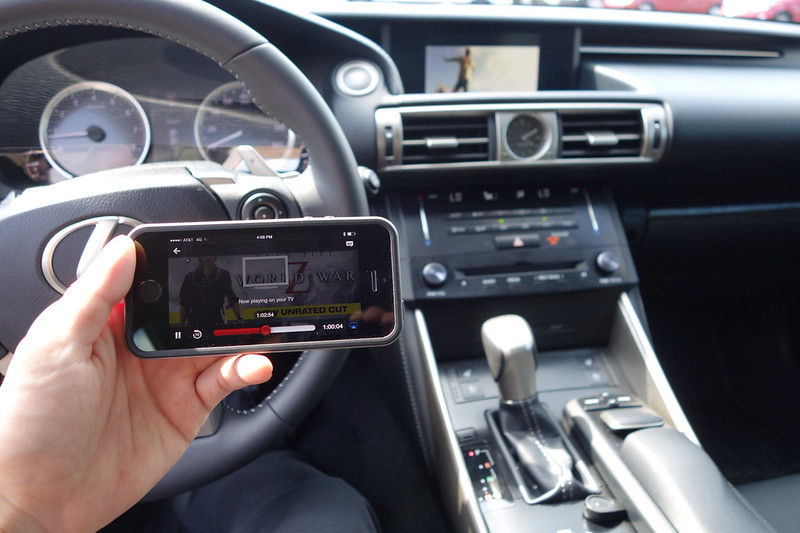 Hacked navi/dvd controller. by mrgxxer, on Flickr
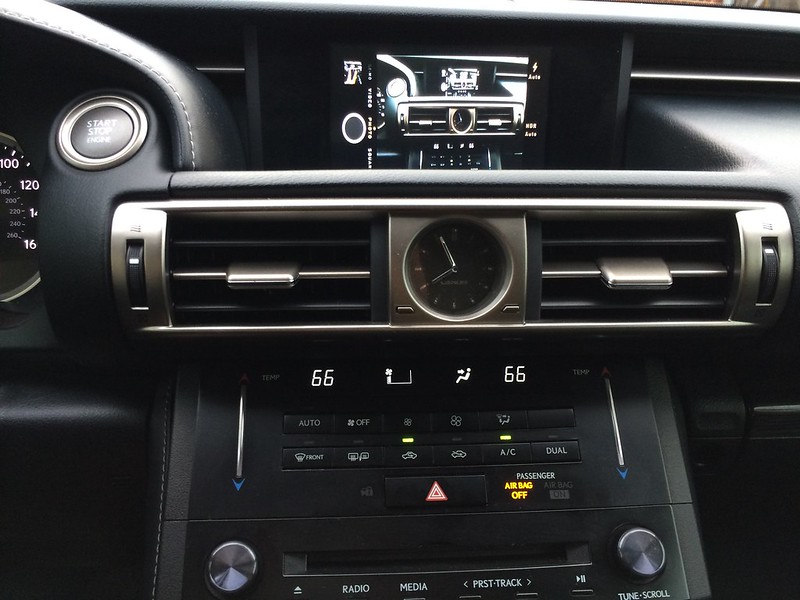 IMG_3421 by mrgxxer, on Flickr
Hacked navi/dvd controller. by mrgxxer, on FlickrIMG_3421 by mrgxxer, on Flickr
Driver School Candidate
Joined: Mar 2015
Posts: 1
Likes: 0
From: fl
I'm mirroring my iPhone 5s through lightning cable and it works just fine. You just have to convert the hdmi signals to av. You'll need the lightning digital av adapter and a hdmi to av video/audio converter(hdmi2av) plus some cables. Here are some pictures i took
Hacked navi/dvd controller. by mrgxxer, on Flickr
IMG_3421 by mrgxxer, on Flickr
Hacked navi/dvd controller. by mrgxxer, on FlickrIMG_3421 by mrgxxer, on Flickr
I'm mirroring my iPhone 5s through lightning cable and it works just fine. You just have to convert the hdmi signals to av. You'll need the lightning digital av adapter and a hdmi to av video/audio converter(hdmi2av) plus some cables. Here are some pictures i took
Hacked navi/dvd controller. by mrgxxer, on Flickr
IMG_3421 by mrgxxer, on Flickr
Hacked navi/dvd controller. by mrgxxer, on FlickrIMG_3421 by mrgxxer, on Flickr
Former Sponsor
Joined: Jun 2011
Posts: 700
Likes: 43
From: CA
http://www.beatsonicusa.com/if27.html


Thread
Thread Starter
Forum
Replies
Last Post
Kane007
GS - 4th Gen (2013-2020)
5
Jul 12, 2015 08:56 PM