


Buttons not working


Thread Starter
Driver School Candidate
Joined: Jan 2014
Posts: 5
Likes: 0
From: TX
 Buttons not working
Hello all, I did the DIY navagation screen fix. After I put the unit back together the screen works like it should. I noticed that my plastics buttons that control the audio sources do not work. I am talking about the am, fm, aux, scan plastic button at the bottom of the unit. The volume and track ***** work and I can use the mode button on the steering wheel to cycle the audio. I double check everything and all the plugs a push in. I am at lost what it could be. I also did post this in the frozen nav post. Any help.


The ONLY thing I can think of is that there's an issue with this connector that connects to the front face place of the unit. Here's a picture of the connect itself :
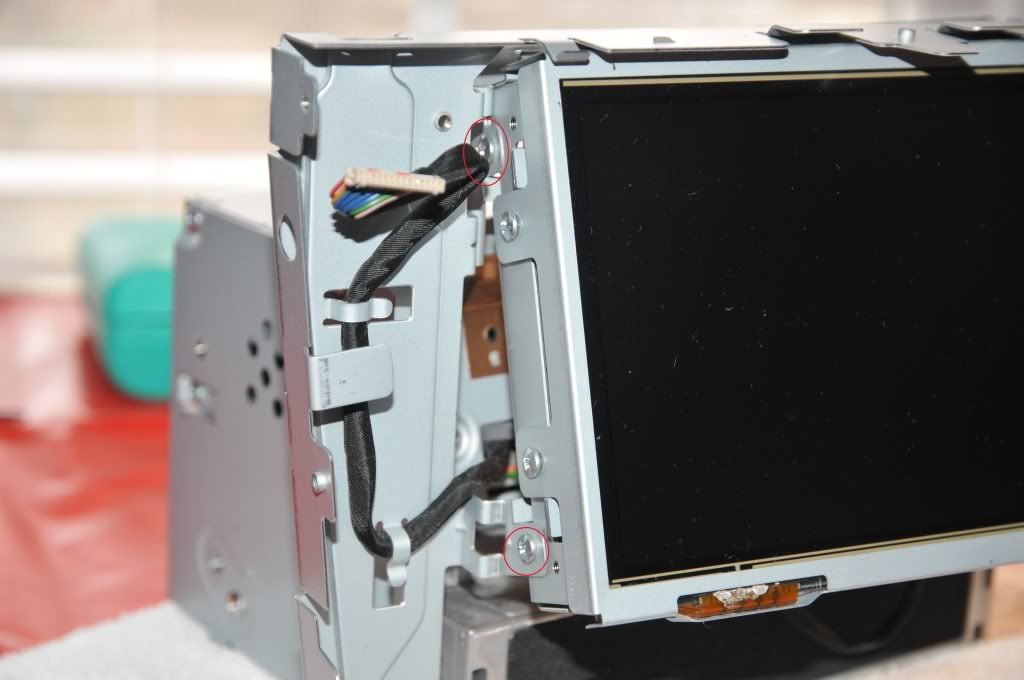
Either it's not FULLY seated into the connector, or there's a deeper problem.
Either it's not FULLY seated into the connector, or there's a deeper problem.

Thread
Thread Starter
Forum
Replies
Last Post
LexUser85
IS - 2nd Gen (2006-2013)
16
Jan 11, 2012 08:51 PM
CelsiorAUS
LS - 1st and 2nd Gen (1990-2000)
2
Nov 3, 2006 02:35 AM