

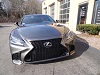
came across this pic from EGS350's car.

anybody know where i can get this pic from? i went through the 3 animations that come with the car and couldn't find this.
thanks
anybody know where i can get this pic from? i went through the 3 animations that come with the car and couldn't find this.
thanks

Lexus Champion
Quote:
anybody know where i can get this pic from? i went through the 3 animations that come with the car and couldn't find this.
thanks
It's a pic the owner uploaded themselves. There's a thread somewhere with instructions with the specifics on how to upload them. I found the pic on google. Originally Posted by modthispny
came across this pic from EGS350's car.anybody know where i can get this pic from? i went through the 3 animations that come with the car and couldn't find this.
thanks
http://images.thecarconnection.com/med/lexus-gs-350_100358255_m.jpg

Rookie
A higher resolution version of the pic you are looking for is available here.
http://blog.lexus.co.uk/wp-content/u...dle-Grille.jpg
Instructions for using custom images are in a thread on this forum, like Yardie said. You can also find them on page 57 of your Navi Owner's Manual.
http://blog.lexus.co.uk/wp-content/u...dle-Grille.jpg
Instructions for using custom images are in a thread on this forum, like Yardie said. You can also find them on page 57 of your Navi Owner's Manual.
thanks for posting these.
i followed instructions from the manual but the navi says pics are not available when i try to export from usb.
maybe it's because i'm on a mac? the usb drive is formated to fat 32 though. :-/
i followed instructions from the manual but the navi says pics are not available when i try to export from usb.
maybe it's because i'm on a mac? the usb drive is formated to fat 32 though. :-/

jtrue28
Lead Lap
close


May 27, 2026
- Join DateSep 2008
- Location#BBNine
- Posts:3,706
-
iTrader Positive Feedback0
-
iTrader Feedback Score(0)
-
Likes:123
-
Liked:235 Times in 164 Posts
Yeah, good luck using a USB drive with mac and PC systems. Purchased my wife a new macbook air, and not even thinking about different systems, plugged my thumb drive into the mac....2 minutes later it was erased and formatted. No amount of recovery could recover the 16GB of data that got erased. That macbook got returned the next day. So yes, I would say the fact you are loading the files from a mac is playing a role in your struggles.


I have created a custom splash screen everyone can use. Modified the original lexus image a bit, let me know if you can tell what was modified.
https://picasaweb.google.com/1079541...12750885554466

https://picasaweb.google.com/1079541...12750885554466

1111GS
CL Community Team
close

Today
- Join DateOct 2011
- LocationUS
- Posts:3,425
-
iTrader Positive Feedback0
-
iTrader Feedback Score(0)
-
Likes:106
-
Liked:201 Times in 170 Posts
Quote:
https://picasaweb.google.com/1079541...12750885554466
1. Signal lightsOriginally Posted by obadea
I have created a custom splash screen everyone can use. Modified the original lexus image a bit, let me know if you can tell what was modified.https://picasaweb.google.com/1079541...12750885554466
2. Fog lights
3. More visible grilles
Nice work but you prob wont see as much on the screen as it's down sized to fit the navi area.
the resolution I put on here fits pretty good on the screen
Posted from ClubLexus.com App for Android
Posted from ClubLexus.com App for Android
hi guys,
just made this, perfect size and it looks the best because it does not have the blue hues on the side of the car which abruptly cut off since the resolution is not perfect in the above pic.
how it looks


just made this, perfect size and it looks the best because it does not have the blue hues on the side of the car which abruptly cut off since the resolution is not perfect in the above pic.
how it looks

Lexus Champion
Quote:
i used my macbook to upload the images on a blank flash drive. could not upload to the nav screen and after several attempts i quit. followed the instructions to a T and still nothing.Originally Posted by jtrue28
Yeah, good luck using a USB drive with mac and PC systems. Purchased my wife a new macbook air, and not even thinking about different systems, plugged my thumb drive into the mac....2 minutes later it was erased and formatted. No amount of recovery could recover the 16GB of data that got erased. That macbook got returned the next day. So yes, I would say the fact you are loading the files from a mac is playing a role in your struggles.

Pole Position
lol the pic only shows up for what? 5 seconds? i just used one of the stock animated one
Quote:
yea it's very short.Originally Posted by mush
lol the pic only shows up for what? 5 seconds? i just used one of the stock animated one
Quote:
doesn't work using a mac. had to do mine at work on a pc.Originally Posted by sydtoosic
i used my macbook to upload the images on a blank flash drive. could not upload to the nav screen and after several attempts i quit. followed the instructions to a T and still nothing.
bigblack06
CL Community Team
close
May 20, 2026
- Join DateNov 2009
- LocationBeantown
- Posts:7,103
-
iTrader Positive Feedback95
-
iTrader Feedback Score(20)
-
Likes:382
-
Liked:368 Times in 252 Posts
Aren't there motion ones, I would think those are the best, anyone know if you can make a different motion start up.