Notices
ES - 1st to 6th Gen (1990-2018) Forum for all 1990 - 2018 ES Models

how do I turn off navigation?

Thread Tools
 
Search this Thread
 
Old Jun 16, 2017 | 12:32 PM
  #1  
n243793's Avatar
n243793
Thread Starter
Driver School Candidate
 
Joined: Jun 2017
Posts: 6
Likes: 0
From: ontario
Question how do I turn off navigation?

First post, be kind! Day to day I kind of know where I'm going but I do have a healthy curiosity as to the name of some of these new toe tappers I hear on the radio. What I want to do is turn off the nav and just have the radio display with the band name and song title on constantly. I've scoured the manuals to no avail. Thanks guys and gals.
Reply
Old Jun 16, 2017 | 01:07 PM
  #2  
FmrAccord's Avatar
FmrAccord
Rookie
5 Year Member
 
Joined: May 2016
Posts: 44
Likes: 11
From: PA
Default

I stream Spotify in my car all the time. I hit the media button and select my phone from the source and listen to the tunes.

I am assuming all lexus dealers have a tech there that will explain all of this to you.
Reply
Old Jun 16, 2017 | 01:16 PM
  #3  
Kijug's Avatar
Kijug
Intermediate
10 Year Member
Liked
Loved
Community Favorite
 
Joined: Jul 2014
Posts: 418
Likes: 108
From: TX
Default

I'm a little confused. Can you just press the "Radio" button above the "Media" button on the left of the CD/DVD player? If you press the "Radio" button and it takes you somewhere else, use the **** on the center console to select "AM" or "FM" or what you would like.

Depending on the radio station depends on what gets displayed. The radio station has to broadcast the name of the song, singer, etc., and then Lexus radio screen will display that.
Reply
Old Jun 16, 2017 | 01:23 PM
  #4  
lesz's Avatar
lesz
Lead Lap
 
Joined: Aug 2013
Posts: 4,279
Likes: 1,034
From: Illinois
Default

You can set up your default home screen with a number of options.

You can have it show one item as full screen, 2 items in a split screen, or 3 items in a 3-paned screen, and you can choose the item(s) that are displayed, including the map, the audio system, the navigation system, or fuel consumption information.

The way that you customize the screen varies depending on the year of your ES and the generation of the navigation system, but all should be similar. For my 2017 ES with the Generation 9 navigation system, you go to the menu, then, to "set up", and, then, to "customize home screen".

For the 2017 ES, this is all explained starting on page 40 of the navigation manual. For other years, it won't likely be exactly in the same location, but it should be close.
Reply
Old Jun 16, 2017 | 01:47 PM
  #5  
n243793's Avatar
n243793
Thread Starter
Driver School Candidate
 
Joined: Jun 2017
Posts: 6
Likes: 0
From: ontario
Default How 2 turn off nav screen

bottom line, I can't turn off the maps in nav. No matter what I press it goes back to the nav screen.
Reply
Old Jun 16, 2017 | 02:03 PM
  #6  
FmrAccord's Avatar
FmrAccord
Rookie
5 Year Member
 
Joined: May 2016
Posts: 44
Likes: 11
From: PA
Default

I would goto the dealer and ask their tech person.
Reply
Old Jun 16, 2017 | 02:35 PM
  #7  
PAcommuter's Avatar
PAcommuter
Rookie
 
Joined: Nov 2016
Posts: 63
Likes: 1
From: California
Default

I have a 2013 and I can do the split screen so the music is displayed on the right hand side of the map. The map never goes away. Though I just had it in to the dealer for a tsb, and now when I'm on the freeway, I get a display of exits and what is available at each exit, i.e. gas, food and lodging instead of what music is playing. Only on the freeway and not local streets. Gotta figure out how to make that go away when I'm not using the nav.
Reply
Old Jun 16, 2017 | 02:40 PM
  #8  
bc6152's Avatar
bc6152
Lexus Test Driver
10 Year Member
Liked
Loved
Community Favorite
 
Joined: Dec 2012
Posts: 5,318
Likes: 1,607
From: SE PA
Default

You can turn the display completely off. No maps, music, menus, or anything else...
Reply
ClubLexus Stories

Celebrating Lexus & Toyota from Around the Globe

story-0

2026 Lexus IS 350 F Sport Review: The Last of Its Kind Still Rocks

 Michael S. Palmer
story-1

Top 10 Most Confusing Things Lexus Has Ever Done!

 Joe Kucinski
story-2

2026 Lexus ES Review: Lexus Re-Embraces Founding Principles

 Michael S. Palmer
story-3

10 Lexus Bargains That are Cheaper Than a New Toyota RAV4

 Joe Kucinski
story-4

8 Weirdest Things Lexus Has Ever Built

 Verdad Gallardo
story-5

10 Lexus Designs That Have Aged Like Fine Wine

 Verdad Gallardo
story-6

8 Tips for Improving Your Hybrid or Plug-in Hybrid's Efficiency!

 Michael S. Palmer
story-7

10 Best Lexus Models No One Remembers

 Joe Kucinski
story-8

TRD Off-Road Premium: Best 2026 4Runner, Except This One Thing

 Michael S. Palmer
story-9

Top 10 Lexus & Toyotas to Drive Before You Die!

 Joe Kucinski
Old Jun 16, 2017 | 07:32 PM
  #9  
TechNut's Avatar
TechNut
Pole Position
Veteran: Navy
10 Year Member
Shutterbug
Community Favorite
 
Joined: May 2013
Posts: 2,903
Likes: 845
From: Idaho
Default

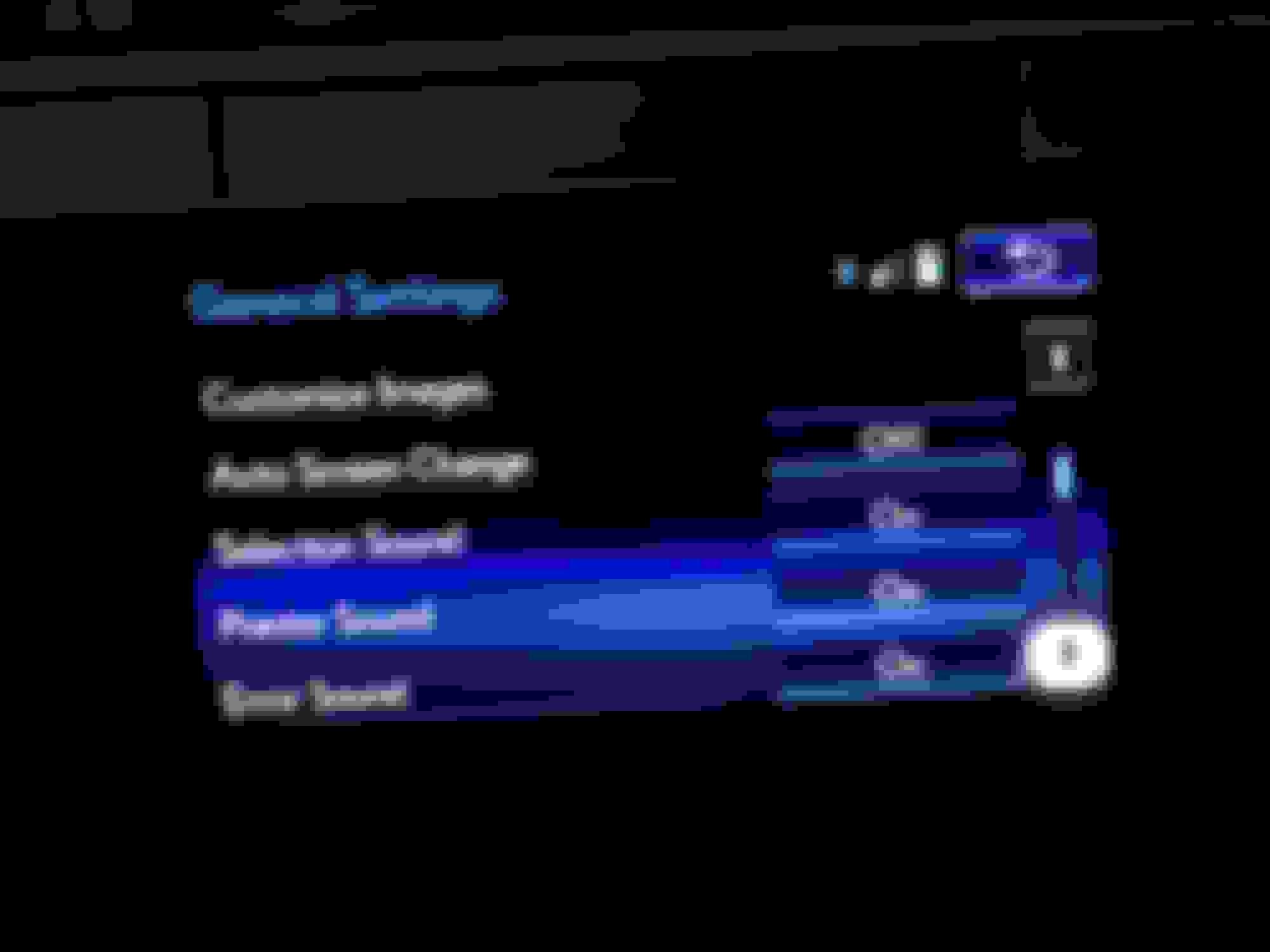
It sounds like you want exactly the same behavior we use. Every time the car starts, it is on the radio screen. I actually have to go hunt for the Nav display. I believe the option that allows this behavior is in the Settings, and then scroll down to "Auto Screen Change" and turn it off. Now you should be able to press the Radio button and have it stay on radio.
Reply
Old Jun 17, 2017 | 03:40 AM
  #10  
n243793's Avatar
n243793
Thread Starter
Driver School Candidate
 
Joined: Jun 2017
Posts: 6
Likes: 0
From: ontario
Default

Originally Posted by Ward6096
It sounds like you want exactly the same behavior we use. Every time the car starts, it is on the radio screen. I actually have to go hunt for the Nav display. I believe the option that allows this behavior is in the Settings, and then scroll down to "Auto Screen Change" and turn it off. Now you should be able to press the Radio button and have it stay on radio.
thanks ward6096, sounds what I'm looking for
Reply
Old Jun 17, 2017 | 10:00 AM
  #11  
n243793's Avatar
n243793
Thread Starter
Driver School Candidate
 
Joined: Jun 2017
Posts: 6
Likes: 0
From: ontario
Default

fixed, thanks ward
Reply
Old Jun 17, 2017 | 12:50 PM
  #12  
BradTank's Avatar
BradTank
Racer
15 Year Member
Liked
Loved
Community Favorite
 
Joined: Jan 2011
Posts: 1,761
Likes: 250
From: AZ
Default

Even when my "auto screen change" is turned to "off", every time I start the car it defaults back to the navigation map screen.
So annoying.
Reply
Old Jun 17, 2017 | 01:08 PM
  #13  
n243793's Avatar
n243793
Thread Starter
Driver School Candidate
 
Joined: Jun 2017
Posts: 6
Likes: 0
From: ontario
Default

Brad try turning it back on (auto screen change) go to the "mouse" select radio THEN go to auto screen change and turn it "off". Worth a shot, ward6069 seems pretty sharp. good luck
Reply
Old Jun 18, 2017 | 12:13 AM
  #14  
TechNut's Avatar
TechNut
Pole Position
Veteran: Navy
10 Year Member
Shutterbug
Community Favorite
 
Joined: May 2013
Posts: 2,903
Likes: 845
From: Idaho
Default

Originally Posted by n243793
Brad try turning it back on (auto screen change) go to the "mouse" select radio THEN go to auto screen change and turn it "off". Worth a shot, ward6069 seems pretty sharp. good luck
You are very welcome, but truth be told, I could have easily learned this tip from another member of this forum. I can't exactly recall where I picked it up. The purpose of this forum is to share tips, advice and even opinions among people that have an active interest in these cars, so my advice is to search first because a given topic may have already been discussed, but don't be afraid to ask if you don't see your answer - and don't be afraid to contribute if you think you can help.

Brad: I agree that trying to turn it back on and off again sounds like a reasonable try. After turning it back off, you should be able to press the radio button and have it stick on radio after starting the car back up. I suppose there may be differences between model years, but I would be inclined to address it with the dealer if it doesn't work as described.

Last edited by TechNut; Jun 18, 2017 at 08:35 PM.
Reply
Old Jun 18, 2017 | 07:15 PM
  #15  
Sulu's Avatar
Sulu
Lexus Champion
 
Joined: Feb 2011
Posts: 3,309
Likes: 31
From: Canada
Default

I have my home screen set up with a 3-display split screen: the compass in the top left corner, the climate control display below that and the audio system display on the right half. Yet, every time I turn off and turn the ignition back on, the screen defaults back to the navigation display; this is despite any number of different settings I have tried.

I have given up and just press the Home button to the right of the Remote Touch cursor control toggle (mouse) every time I start up the car and drive away.

I have noticed that if I do this while starting up and driving away in a parking lot, the compass display does not show the street name (leaving it blank) and will never update the street name; I have to switch to my home screen while on a street recognized by the navigation system. I can understand why this is done, because in a parking lot, the navigation system is not close enough to a recognized street to know where it is; it is frustrating but I have given up complaining and I work around it.

Reply


All times are GMT -7. The time now is 05:37 PM.

story-0
2026 Lexus IS 350 F Sport Review: The Last of Its Kind Still Rocks

Slideshow: the 2026 IS 350 isn't all that new, and that's why we love it!

By Michael S. Palmer | 2026-06-04 14:35:23


VIEW MORE
story-1
Top 10 Most Confusing Things Lexus Has Ever Done!

Slideshow: 10 most confusing things Lexus has ever done.

By Joe Kucinski | 2026-06-04 09:40:55


VIEW MORE
story-2
2026 Lexus ES Review: Lexus Re-Embraces Founding Principles

Slideshow: Our First-Drive Review of the 2026 Lexus ES!

By Michael S. Palmer | 2026-05-29 20:30:16


VIEW MORE
story-3
10 Lexus Bargains That are Cheaper Than a New Toyota RAV4

Slideshow: 10 Lexus bargain that are cheaper than a new Toyota.

By Joe Kucinski | 2026-05-20 10:28:20


VIEW MORE
story-4
8 Weirdest Things Lexus Has Ever Built

Slideshow: From hoverboards to luxury yachts, these are the strangest projects Lexus has ever attached its badge to.

By Verdad Gallardo | 2026-05-16 11:34:36


VIEW MORE
story-5
10 Lexus Designs That Have Aged Like Fine Wine

Slideshow: Some luxury cars chase trends, but these Lexus models look better now than they did when they first rolled into showrooms.

By Verdad Gallardo | 2026-05-06 17:58:29


VIEW MORE
story-6
8 Tips for Improving Your Hybrid or Plug-in Hybrid's Efficiency!

Slideshow: How to Get the Best Fuel Economy with a Hybrid and Plug-In Hybrid!

By Michael S. Palmer | 2026-05-05 20:54:44


VIEW MORE
story-7
10 Best Lexus Models No One Remembers

Slideshow: 10 best Lexus models no one remembers.

By Joe Kucinski | 2026-05-05 17:33:28


VIEW MORE
story-8
TRD Off-Road Premium: Best 2026 4Runner, Except This One Thing

Slideshow: diving into 4Runner TRD Off-Road Premium's pricing, performance, fuel economy, features, and amenities!

By Michael S. Palmer | 2026-04-23 13:09:18


VIEW MORE
story-9
Top 10 Lexus & Toyotas to Drive Before You Die!

Slideshow: the 10 Lexus and Toyota vehicles you need to drive before you die.

By Joe Kucinski | 2026-04-23 10:34:24


VIEW MORE