


Kenwood KVT-910DVD and KNA-dv2100 Navigation install Into 99 ES300 Coach

Thread Starter
Pole Position
Joined: Nov 2001
Posts: 2,384
Likes: 16
From: Chicago, IL
 Write up on installing Kenwood KVT 910 and Navi into 1999 ES300 Coach Ed.
I'm very pissed off right now and will probably edit this post but I had a very detailed write up complete with links and pics I was about to post 3 mins ago and soon as I hit the submit button guess what ol faithful windows xp decides to do....CRASH MY Internet Explorer!!!!!!!!!!!!!!!!!!!!!!!!!!!!!!!!!!!
I'm gonna write it later when I can gather my thoughts again. Just know it was a success and everything works except for the Navi which displays a vertical running screen which I'll be returning and I'm pissed (have it said that enough times yet?)
I'm gonna write it later when I can gather my thoughts again. Just know it was a success and everything works except for the Navi which displays a vertical running screen which I'll be returning and I'm pissed (have it said that enough times yet?)
Last edited by tiguy99; Nov 18, 2005 at 09:20 AM.
Thread Starter
Pole Position
Joined: Nov 2001
Posts: 2,384
Likes: 16
From: Chicago, IL
I'm back!
Ok...I'm going to jump start this thread back to life.
For now....here's a few pics and an update to where I am in this project.

Tonight's episode of House on Fox. Yes I'm in an underground garage that's why the reception's so poor




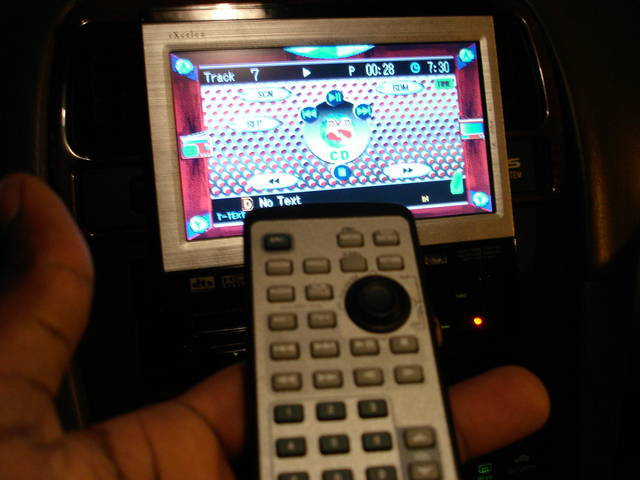

The Stereo system works like a charm. Got it on Ebay for a good deal. Only thing is that the DVD drive needs to get swapped out. (I've got extra parts from a 911 lying around. I'm gonna do a swap soon) The drive's been saying mecha error on certain newer DVDs (all region 1). At first it didn't play DVDs at all until I ran the DVD disc cleaner then it would play and skip at times in the movie.
Aside from that, I've installed the Kenwood KDS-p900 5.1 Channel Dolby Digital Surround Prossessor, my Cerwin Vega Vega 104 10" banger of a sub in a q-logic vented box (dynamat coming soon to a trunk near u), Hifonics Centurion 400 RMS amp briged to the sub listed above.
I just got the Sherwood A50x4 Amp for my interiors but I'm waiting until I can get my hands on the Polk/Momo db6750 components for the front doors and db650 rear 6.5s for the back doors in a few weeks. That way I can install them all at once.
The biggest challenge for me has been how to conceal all the wires. Did any of you guys pull up your carpet when you installed your sound systems? I'm using the door sills but am running out of space. It still looks clean but I'm worried about what's going to happen when I route my speakers from the front amp location behind the glove box to the trunk where my Sherwood amp's going to be installed.
Finally, I'm sad to say that I got my replacement Navi today and this one was worse than the first one. Being that I left all wiring intact and double and triple checked to make sure nothing came out of place, I walked into what I thought would be a simple plug and play scenario only to find out that this unit wouldn't even boot up. I did everything by the book. Even checked fuses, again and again, checked all previous wiring connections. Still no dice.
I'm soo pissed about that. I'm going to make the company that sold it to me pay for overnighting it back to them for another RMA. Dammit. Can I just have a navi that works? Everything else is fine. I sure needed it over the weekend too as I drove a gazillion miles looking for holiday stuff for the family. Oh well, another day in the life right hehe? Look for more updates soon
For now....here's a few pics and an update to where I am in this project.
Tonight's episode of House on Fox. Yes I'm in an underground garage that's why the reception's so poor
The Stereo system works like a charm. Got it on Ebay for a good deal. Only thing is that the DVD drive needs to get swapped out. (I've got extra parts from a 911 lying around. I'm gonna do a swap soon) The drive's been saying mecha error on certain newer DVDs (all region 1). At first it didn't play DVDs at all until I ran the DVD disc cleaner then it would play and skip at times in the movie.
Aside from that, I've installed the Kenwood KDS-p900 5.1 Channel Dolby Digital Surround Prossessor, my Cerwin Vega Vega 104 10" banger of a sub in a q-logic vented box (dynamat coming soon to a trunk near u), Hifonics Centurion 400 RMS amp briged to the sub listed above.
I just got the Sherwood A50x4 Amp for my interiors but I'm waiting until I can get my hands on the Polk/Momo db6750 components for the front doors and db650 rear 6.5s for the back doors in a few weeks. That way I can install them all at once.
The biggest challenge for me has been how to conceal all the wires. Did any of you guys pull up your carpet when you installed your sound systems? I'm using the door sills but am running out of space. It still looks clean but I'm worried about what's going to happen when I route my speakers from the front amp location behind the glove box to the trunk where my Sherwood amp's going to be installed.
Finally, I'm sad to say that I got my replacement Navi today and this one was worse than the first one. Being that I left all wiring intact and double and triple checked to make sure nothing came out of place, I walked into what I thought would be a simple plug and play scenario only to find out that this unit wouldn't even boot up. I did everything by the book. Even checked fuses, again and again, checked all previous wiring connections. Still no dice.
I'm soo pissed about that. I'm going to make the company that sold it to me pay for overnighting it back to them for another RMA. Dammit. Can I just have a navi that works? Everything else is fine. I sure needed it over the weekend too as I drove a gazillion miles looking for holiday stuff for the family. Oh well, another day in the life right hehe? Look for more updates soon
Thread Starter
Pole Position
Joined: Nov 2001
Posts: 2,384
Likes: 16
From: Chicago, IL
Navi #2 was RMAed and sent back this morning. I was promised that they will test the 3rd one and confirm it's functionality before its sent out. Why couldn't they do this before? Anyhow I snapped a few more shots while I was out runnin errands.
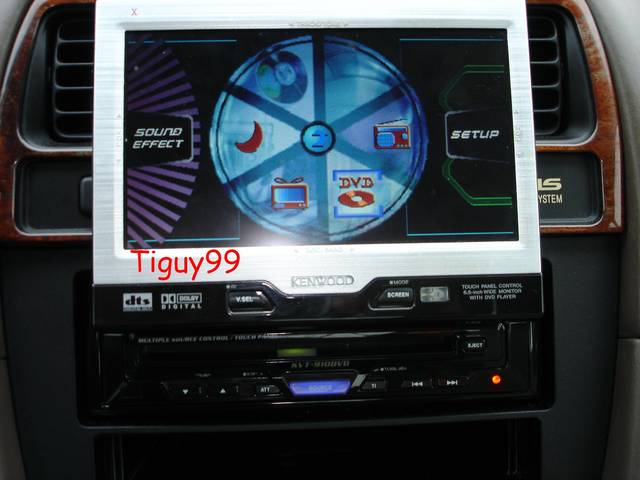
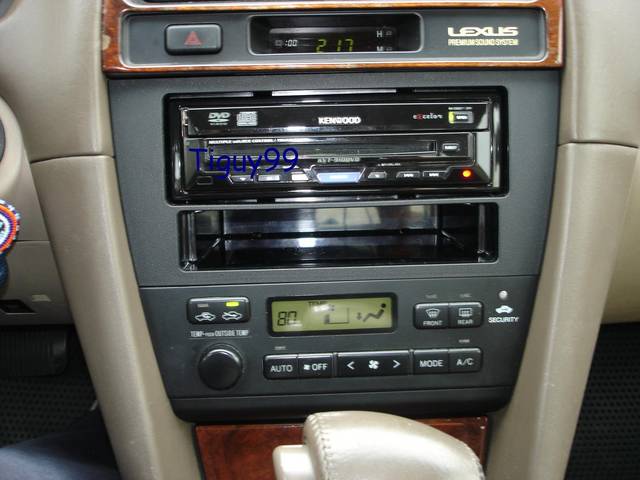

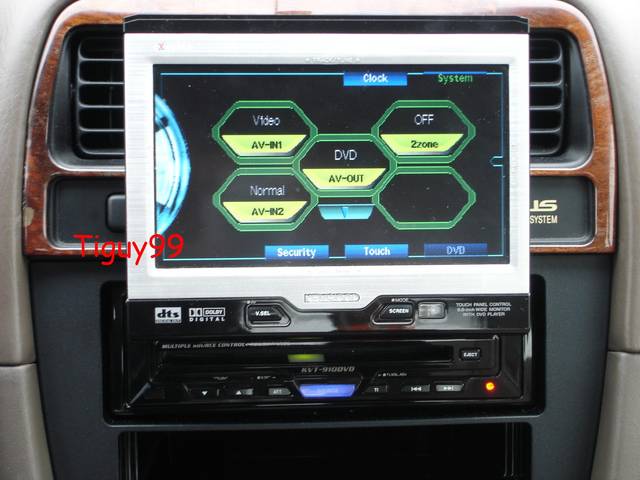


I just love the incognito look of the radio in dash and how it doesn't attract attention like some of the newer silver/grey ones. Any of you Pioneer guys having theft issues or anything like that? I know GS300rich had his silver/black Kenwood 911 stolen a while back
I just love the incognito look of the radio in dash and how it doesn't attract attention like some of the newer silver/grey ones. Any of you Pioneer guys having theft issues or anything like that? I know GS300rich had his silver/black Kenwood 911 stolen a while back
Thread Starter
Pole Position
Joined: Nov 2001
Posts: 2,384
Likes: 16
From: Chicago, IL
I used to have a Clarion VRX-815. Very nice unit. It was installed in my old 1995 ES300.
https://www.clublexus.com/forums/sho...hlight=VRX-815
Very nice brand. Good quality. However, I didnt' have the DSP so I didn't have the unlocked sound and graphic capabilities. However the standard controls did just fine for what I needed back then.
I chose Kenwood 910 because the installer who put my VRX back then had one but it cost about 2500 back then and it did everything. In fact his system is the main reason I got hooked on mobile video. I had never seen anything like it before. In person at least.
Let's just say that a system that plays DVDs, CDs, watches TV (from factory without an add on box), has touch screen Navi funciton (was the king of Navigation units for a pretty damn long time till Pioneer and finally caught up, Alpine's still kinda behind both) plus dual zone capability out the box (meaning you can listen to the radio or a dvd or watch tv up front while each passenger looks at something different on the back screens and can use wire less headphones to have their own sound), Basically, I'm saying it had my name on it. Plus with a $560.00 Ebay shipping included price tag, who else can say no.
https://www.clublexus.com/forums/sho...hlight=VRX-815
Very nice brand. Good quality. However, I didnt' have the DSP so I didn't have the unlocked sound and graphic capabilities. However the standard controls did just fine for what I needed back then.
I chose Kenwood 910 because the installer who put my VRX back then had one but it cost about 2500 back then and it did everything. In fact his system is the main reason I got hooked on mobile video. I had never seen anything like it before. In person at least.
Let's just say that a system that plays DVDs, CDs, watches TV (from factory without an add on box), has touch screen Navi funciton (was the king of Navigation units for a pretty damn long time till Pioneer and finally caught up, Alpine's still kinda behind both) plus dual zone capability out the box (meaning you can listen to the radio or a dvd or watch tv up front while each passenger looks at something different on the back screens and can use wire less headphones to have their own sound), Basically, I'm saying it had my name on it. Plus with a $560.00 Ebay shipping included price tag, who else can say no.
Last edited by tiguy99; Dec 1, 2005 at 12:41 PM.

Lexus Test Driver
Joined: Sep 2005
Posts: 1,411
Likes: 1
From: Hells
I pulled off my carpet when i installed the dynamat...in fact the car was pulled apart a few times already, Its pretty easy. Are you installing the "brain" under the front seat?
Glad to see that every thing worked out btw.
Glad to see that every thing worked out btw.
Trending Topics
Thread Starter
Pole Position
Joined: Nov 2001
Posts: 2,384
Likes: 16
From: Chicago, IL
Yup. How easy is it to put the carpet back under there? I ask this because the wires are crowded in the door seam. They're not hanging everywhere thank God but it is a tight fit in the door seems as the Kenwood has a bazillion wires/serial cables that all need to go somewhere. And we can't forget about the expensive RCA cables I bought for the connection to the brain/headunit output as well.
ClubLexus Stories
Celebrating Lexus & Toyota from Around the Globe

Lexus NX 350h: A Fuel-Sipping Secret Hot Hatch???
Michael S. Palmer
5 Best & 5 Worst Lexus Daily Drivers
Joe Kucinski
Top 5 Hottest Lexus & Toyotas in 2026 (Hardest To Buy)
Brett Foote
2026 Lexus IS 350 F Sport Review: The Last of Its Kind Still Rocks
Michael S. Palmer
Top 10 Most Confusing Things Lexus Has Ever Done!
Joe Kucinski
2026 Lexus ES Review: Lexus Re-Embraces Founding Principles
Michael S. Palmer
10 Lexus Bargains That are Cheaper Than a New Toyota RAV4
Joe Kucinski
8 Weirdest Things Lexus Has Ever Built
Verdad Gallardo
10 Lexus Designs That Have Aged Like Fine Wine
Verdad Gallardo
Lexus Test Driver
Joined: Sep 2005
Posts: 1,411
Likes: 1
From: Hells
Originally Posted by tiguy99
Yup. How easy is it to put the carpet back under there? I ask this because the wires are crowded in the door seam. They're not hanging everywhere thank God but it is a tight fit in the door seems as the Kenwood has a bazillion wires/serial cables that all need to go somewhere. And we can't forget about the expensive RCA cables I bought for the connection to the brain/headunit output as well.
Thread Starter
Pole Position
Joined: Nov 2001
Posts: 2,384
Likes: 16
From: Chicago, IL
Thanks. I'll get on this when I have some more free time a little later on (perhaps over the weekend etc). So you just pull the stuff on up right or do I have to take off the front seats as well?
Lexus Test Driver
Joined: Sep 2005
Posts: 1,411
Likes: 1
From: Hells
Originally Posted by tiguy99
Thanks. I'll get on this when I have some more free time a little later on (perhaps over the weekend etc). So you just pull the stuff on up right or do I have to take off the front seats as well?
good luck
Thread Starter
Pole Position
Joined: Nov 2001
Posts: 2,384
Likes: 16
From: Chicago, IL
I got my Navi today and it works!!!!!! Finally
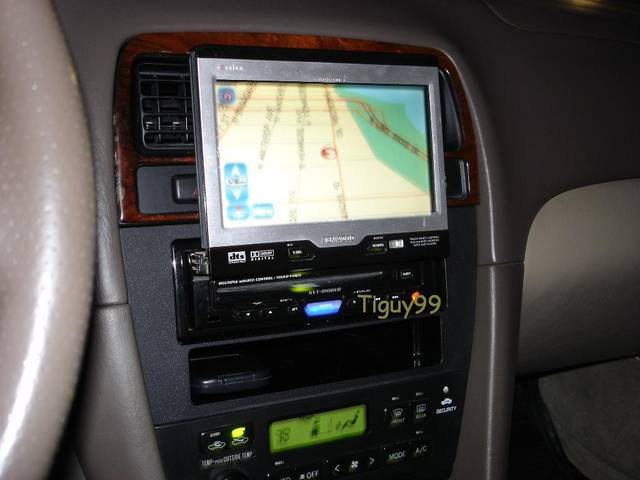


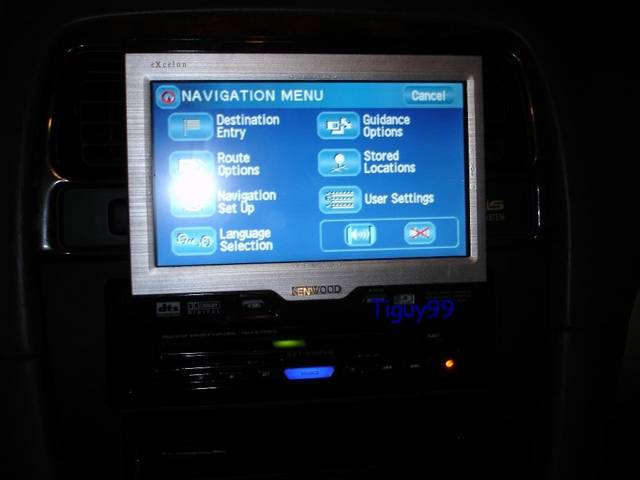
If only we can make all Navi's stop saying this each time you cut on the car lol
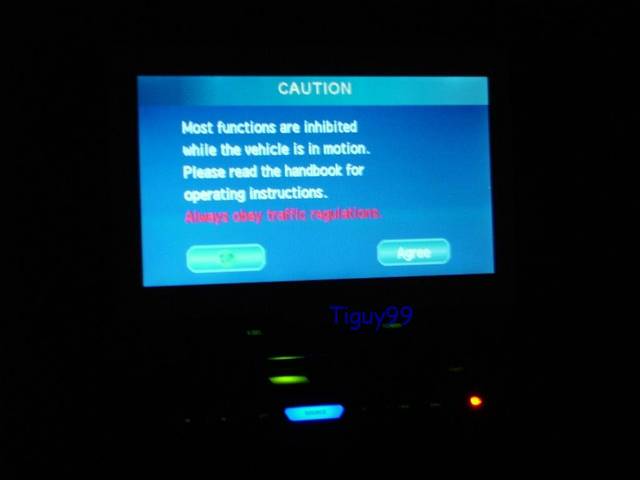
With this cold we have out here in Chicago, needless to say the remote start's in full effect!

If only we can make all Navi's stop saying this each time you cut on the car lol
With this cold we have out here in Chicago, needless to say the remote start's in full effect!
Thread Starter
Pole Position
Joined: Nov 2001
Posts: 2,384
Likes: 16
From: Chicago, IL
By the way, I've played with the Lexus Navi on some models and its exactly the same interface as the Kenwood KNA-dv2100, 3100 and even the new 4100 they have now. I know both use the same Map DVD discs. I'm thinking how convienent when each new generation Kenwood releases simultaneously comes out at the "same time" the new Lexus navi's do. Anyway, I'm pleased with it and its pretty accurate. Most of the time it finds about 4-6 satallites and goes off of that.

i got that same dvd/tv/radio headunit- how did you get your dash like that i havnt put it in yet and was wondering if you could take some time and do a instruction on how to install this type of dvd player is your sc- ive looked at it and have no idea where to put the wires- thanks bro 
Thread Starter
Pole Position
Joined: Nov 2001
Posts: 2,384
Likes: 16
From: Chicago, IL
Sure I can do a mini write up....
check this out first to see some parts I used
https://www.clublexus.com/forums/sho...d.php?t=187191
As for me, I have a 1999 ES300 Coach Edition

As for the SC, what year do you have? Depending on the year, you'll have to check and make sure you have the correct harness to hook it up to the speaker/amp plugs at the amp location on your car.
I used this wire harness here
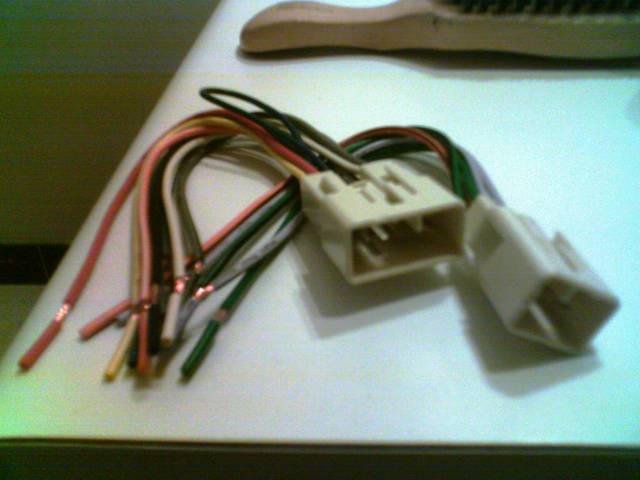
which I got on Ebay for about 10.00 shipped.
I also went with this Metra Stereo Dash Kit

Which I got on Ebay for about 15.00 shipped.
Just search Lexus Radio or Stereo Wire harness for that part and Lexus SC Dash kit for that.
Go to www.carstereohelp.com
for free pictortal instructions on how to remove the radio from the dash for your SC.
Step one you'll have to find the location of your Stereo's Amp. For me it was behind the dash/glove box and I had to take that part off.
It comes off by opening it, then unscrewing the 4-5 screws that hold it together then it lifts out.
Yours might be under the passenger seat so double check that before you do anything.
Once you find the amp, unplug its speaker wire plugs, for me it was here
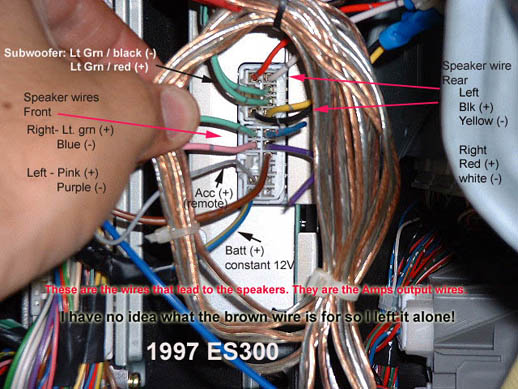
I just unplugged those and they fit on my harness like OJ's gloves!
1. Plug the harness up to those plugs
2. Hard wire your Kenwood wires (that came in the box) to each corrosponding wire on your harness. Ex, match the front speakers + and - for the left(white) and right (gray) speakers up by matching them to the same color coded wire on the harness. Then do the rears (green and purple for left and right). THen match the ground (black), ignition (red acc wire), power (yellow), illumination + (orange) and then the amp wire (blue) if you plan to hook up an extenal amp.
2a. Now keep in mind you have 2 options for illumination...you can match it to the harness 50/50 shot it will work or directly to the pos connection on the headlight switch inside the steering column. Tap into which ever one you like best.
2b. Plug up the kenwood Headunit harness
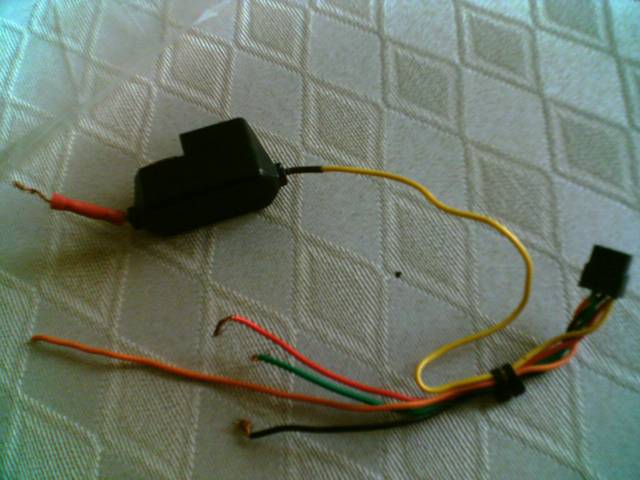
up to the same location as the other wires by matching the colors up as well. Keep in mind you can A) plug up the parking wire (green) to the parking brake or b) ground it (much easier) so you can update the nav while driving as well as have access to the DVD and TV functions without having to park etc.
3. Hook up your kenwood wires from the brain to the monitor, antenna extension wire, and if you have the DSP (KDS-p900 or the 901) hook that up too. You'll need an extra set of RCAs to interface the brain to the DSP box for 5.1 channel sound.
4. If you have the Sirius satellite radio tuner like me, hook that up too since you have everything open.
5. Hook up the TV antenna wires into their places and connect the Red Ignition (acc) wire, and ground wires.
6. Test to make sure it all works while its still open.
7. reverse the procedure to close it all back together
check this out first to see some parts I used
https://www.clublexus.com/forums/sho...d.php?t=187191
As for me, I have a 1999 ES300 Coach Edition
As for the SC, what year do you have? Depending on the year, you'll have to check and make sure you have the correct harness to hook it up to the speaker/amp plugs at the amp location on your car.
I used this wire harness here
which I got on Ebay for about 10.00 shipped.
I also went with this Metra Stereo Dash Kit
Which I got on Ebay for about 15.00 shipped.
Just search Lexus Radio or Stereo Wire harness for that part and Lexus SC Dash kit for that.
Go to www.carstereohelp.com
for free pictortal instructions on how to remove the radio from the dash for your SC.
Step one you'll have to find the location of your Stereo's Amp. For me it was behind the dash/glove box and I had to take that part off.
It comes off by opening it, then unscrewing the 4-5 screws that hold it together then it lifts out.
Yours might be under the passenger seat so double check that before you do anything.
Once you find the amp, unplug its speaker wire plugs, for me it was here
I just unplugged those and they fit on my harness like OJ's gloves!
1. Plug the harness up to those plugs
2. Hard wire your Kenwood wires (that came in the box) to each corrosponding wire on your harness. Ex, match the front speakers + and - for the left(white) and right (gray) speakers up by matching them to the same color coded wire on the harness. Then do the rears (green and purple for left and right). THen match the ground (black), ignition (red acc wire), power (yellow), illumination + (orange) and then the amp wire (blue) if you plan to hook up an extenal amp.
2a. Now keep in mind you have 2 options for illumination...you can match it to the harness 50/50 shot it will work or directly to the pos connection on the headlight switch inside the steering column. Tap into which ever one you like best.
2b. Plug up the kenwood Headunit harness
up to the same location as the other wires by matching the colors up as well. Keep in mind you can A) plug up the parking wire (green) to the parking brake or b) ground it (much easier) so you can update the nav while driving as well as have access to the DVD and TV functions without having to park etc.
3. Hook up your kenwood wires from the brain to the monitor, antenna extension wire, and if you have the DSP (KDS-p900 or the 901) hook that up too. You'll need an extra set of RCAs to interface the brain to the DSP box for 5.1 channel sound.
4. If you have the Sirius satellite radio tuner like me, hook that up too since you have everything open.
5. Hook up the TV antenna wires into their places and connect the Red Ignition (acc) wire, and ground wires.
6. Test to make sure it all works while its still open.
7. reverse the procedure to close it all back together
Last edited by tiguy99; Dec 8, 2005 at 04:09 PM.