Notices
GS - 4th Gen (2013-2020) Discussion about the 2013 and up GS models

How to remove dash trim

Thread Tools
 
Search this Thread
 
Old Dec 31, 2018 | 01:52 PM
  #1  
jdpdata's Avatar
jdpdata
Thread Starter
Instructor
 
Joined: Mar 2017
Posts: 1,159
Likes: 452
From: CA
Default How to remove dash trim

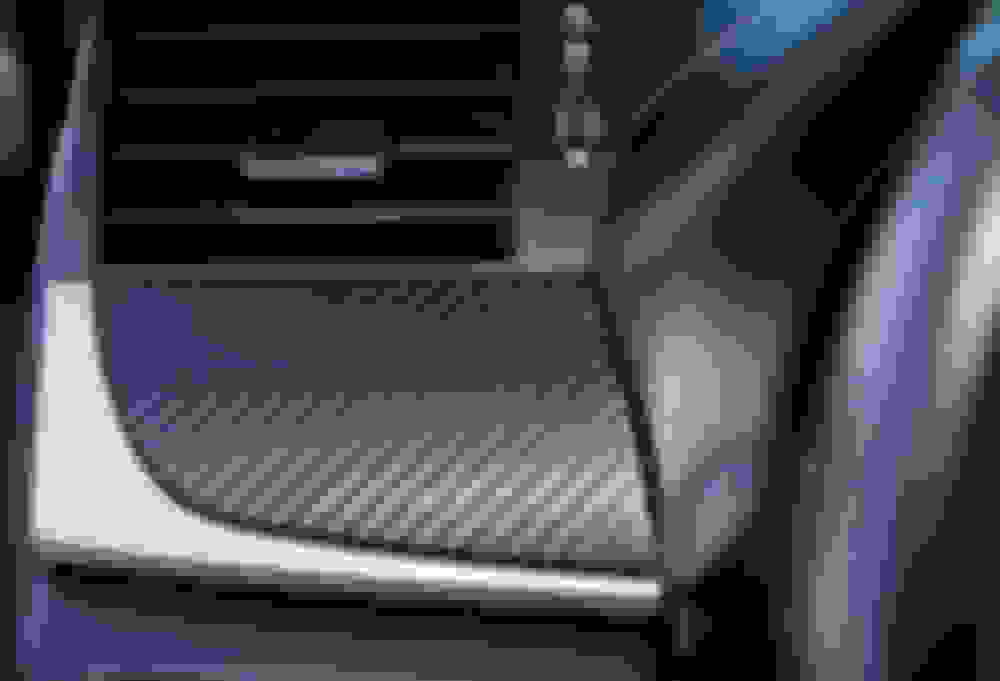
How do I remove this aluminum trim piece? Needing to wrap this piece. I tried to pry but it's held in there real tight. Do I need to remove the entire dash? Don't want to break anything.

Reply
Old Dec 31, 2018 | 02:11 PM
  #2  
eddie420's Avatar
eddie420
CL Community Team
5 Year Member
Liked
Loved
Community Favorite
 
Joined: Dec 2017
Posts: 2,001
Likes: 682
From: NJ
Default

Originally Posted by jdpdata
How do I remove this aluminum trim piece? Needing to wrap this piece. I tried to pry but it's held in there real tight. Do I need to remove the entire dash? Don't want to break anything.
Here you go. Go to post #3. Basically remove glove box and a few screws from the back of the trim, comes right out.

EDIT: Direct link. https://www.clublexus.com/forums/gs-...l#post10329373
Reply
Old Dec 31, 2018 | 03:01 PM
  #3  
jdpdata's Avatar
jdpdata
Thread Starter
Instructor
 
Joined: Mar 2017
Posts: 1,159
Likes: 452
From: CA
Default

Originally Posted by eddie420
Here you go. Go to post #3. Basically remove glove box and a few screws from the back of the trim, comes right out.

EDIT: Direct link. https://www.clublexus.com/forums/gs-...l#post10329373
Thanks so much Eddie! I'd never figure that out without your pictures and guide.
Reply
Old Dec 31, 2018 | 03:11 PM
  #4  
eddie420's Avatar
eddie420
CL Community Team
5 Year Member
Liked
Loved
Community Favorite
 
Joined: Dec 2017
Posts: 2,001
Likes: 682
From: NJ
Default

Originally Posted by jdpdata
Thanks so much Eddie! I'd never figure that out without your pictures and guide.
lol Anytime dude, hit me up if you have any questions.
Reply
Old Dec 31, 2018 | 04:20 PM
  #5  
jdpdata's Avatar
jdpdata
Thread Starter
Instructor
 
Joined: Mar 2017
Posts: 1,159
Likes: 452
From: CA
Default

@eddie420 you sir are a scholar and a gentleman. By far the most helpful person on this forum.
Happy New Year to you and your family!

I'm almost done with the CF wrap. Will throw up some pictures tomorrow. My fingertips hurt like hell!!!
Reply
Old Dec 31, 2018 | 04:23 PM
  #6  
eddie420's Avatar
eddie420
CL Community Team
5 Year Member
Liked
Loved
Community Favorite
 
Joined: Dec 2017
Posts: 2,001
Likes: 682
From: NJ
Default

Originally Posted by jdpdata
@eddie420 you sir are a scholar and a gentleman. By far the most helpful person on this forum.
Happy New Year to you and your family!

I'm almost done with the CF wrap. Will throw up some pictures tomorrow. My fingertips hurt like hell!!!
Happy new year to you and your family as well! Can't wait to see how your wrap came out!
Reply
Old Jan 1, 2019 | 05:10 PM
  #7  
jdpdata's Avatar
jdpdata
Thread Starter
Instructor
 
Joined: Mar 2017
Posts: 1,159
Likes: 452
From: CA
Default GS Interior Carbon wrapped

All done! Took much longer than I anticipated, about 16 hours (over 3 days!) but I took my time to do it right. I removed all panel pieces from the car to wrapped and tucked for a better look. Huge thanks to @eddie420 for the tutorial guide on how to remove panel trims. Most trims came off pretty effortlessly, but I had a heck of a time trying to fit the door panels back. They don't seem to sit flush as before. I may have damaged some clips trying to push them back. Need to purchase some replacement clips.

The only pieces I couldn't tucked was the cup-holder lid and seat warmer button panels...didn't know how to remove the aluminum pieces from these two panels. The vinyl is already lifting in the corners on these two pieces, so I will have to figure out something later. Maybe need to get some vinyl adhesive to secure corners for these pieces. I was a total noob doing vinyl wrap. My first time ever! Watched some YouTube videos before I started. The key is to take your time to heat up and stretch the vinyl around corners for a smooth look without bubbles or wrinkles. All materials and tools costs about $60. All purchased on Amazon. I got way too much wrap. Plenty left over. I plan to do the mirrors next.

-
VViVid XPO Black Carbon Fiber wrap 5ft x 6ft - $39.99 VViVid XPO Black Carbon Fiber wrap 5ft x 6ft - $39.99
-
Tresalto Trim removal tool kit $9.99 Tresalto Trim removal tool kit $9.99
-
7MO Vinyl tool kit $9.89 7MO Vinyl tool kit $9.89

Got some high res pictures with my DSLR...enjoy!


Driver side trim


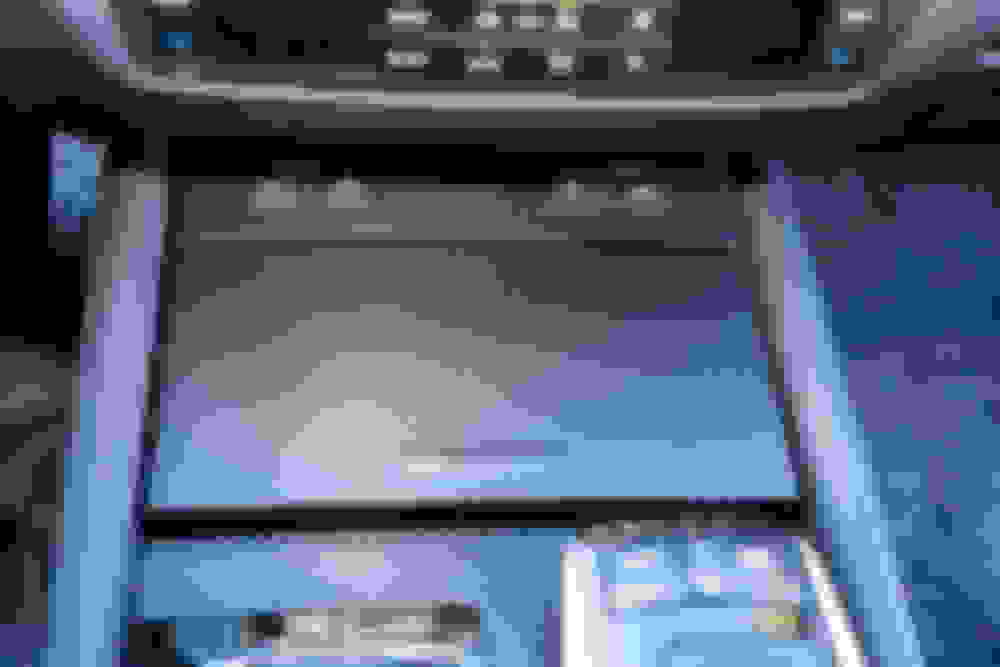
Console


Cup holder lid and seat warmers. This was only two pieces I'm not satisfied with. How do I remove aluminum trims from these?


Dash trim. Two hidden bolt was PITA to get to.


Driver's door


Front Passenger Door


Rear passenger door


Rear driver door

Reply
Old Jan 1, 2019 | 05:26 PM
  #8  
eddie420's Avatar
eddie420
CL Community Team
5 Year Member
Liked
Loved
Community Favorite
 
Joined: Dec 2017
Posts: 2,001
Likes: 682
From: NJ
Default

Looks really dope man! Congrats! The door panels were initially really difficult for me also. Key is to angle them against the window as tight as possible and slide down. They will look into place and then you can just snap it in. It took me a while to figure this out lol.


Last edited by eddie420; Jan 1, 2019 at 05:34 PM.
Reply
Old Jan 1, 2019 | 05:52 PM
  #9  
jdpdata's Avatar
jdpdata
Thread Starter
Instructor
 
Joined: Mar 2017
Posts: 1,159
Likes: 452
From: CA
Default

Thanks for the tip eddie! I'll get some replacement clips and reseat those door panels.
Reply
Old Jan 1, 2019 | 05:57 PM
  #10  
Chavez562's Avatar
Chavez562
Intermediate
 
Joined: Nov 2016
Posts: 444
Likes: 75
From: Ca
Default

Mad props on your creativity!! Looks great.
Reply
Old Jan 1, 2019 | 10:28 PM
  #11  
peasodos's Avatar
peasodos
Lexus Test Driver
5 Year Member
Liked
Loved
Top Answer: 1
iTrader: (1)
 
Joined: Feb 2017
Posts: 5,522
Likes: 2,264
From: USA
Default

Originally Posted by eddie420
Looks really dope man! Congrats! The door panels were initially really difficult for me also. Key is to angle them against the window as tight as possible and slide down. They will look into place and then you can just snap it in. It took me a while to figure this out lol.

If you remove the weather strip trim(inner belt molding) from the top of the door panel(4 clips), install that onto the top part of the door against the glass, the rest of the door panel you can easily press into the door strait on.

I did it your way the first time , discovered it's easier to do than the other way.

Last edited by peasodos; Oct 11, 2021 at 02:20 AM.
Reply
Old Jan 2, 2019 | 02:21 PM
  #12  
eddie420's Avatar
eddie420
CL Community Team
5 Year Member
Liked
Loved
Community Favorite
 
Joined: Dec 2017
Posts: 2,001
Likes: 682
From: NJ
Default

Originally Posted by peasodos
If you remove the weather strip trim(inner belt molding) from the top of the door panel(4 clips), install that onto the top part of the door against the glass, the rest of the door panel you can easily press into the door strait on.

I did it your way the first time , but discovered it's easier to do the other way.
Oh, interesting. I will try that. Thanks!
Reply
Old Jan 10, 2019 | 03:38 PM
  #13  
jdpdata's Avatar
jdpdata
Thread Starter
Instructor
 
Joined: Mar 2017
Posts: 1,159
Likes: 452
From: CA
Default

Originally Posted by peasodos
If you remove the weather strip trim(inner belt molding) from the top of the door panel(4 clips), install that onto the top part of the door against the glass, the rest of the door panel you can easily press into the door strait on.

I did it your way the first time , but discovered it's easier to do the other way.
Popped out all my door panels today and redid them like this. Sooo much easier! Now they all sit flushed, no more weird rattles. Thank you!

This video help too. Starting at 9:43 he show how to remove the top channel clips. Not for our GS, but very similiar.

Reply
Old Feb 12, 2019 | 12:00 PM
  #14  
calqulated's Avatar
calqulated
Driver School Candidate
 
Joined: Feb 2019
Posts: 10
Likes: 11
From: NJ
Default

Looks good! I've been trying to decide what to do about mine...it's just my driver door that looks unflattering. This might be my next move!
Reply
Related Topics
Thread
Thread Starter
Forum
Replies
Last Post
Gs21
GS - 4th Gen (2013-2020)
8
Aug 31, 2016 08:02 PM
Blueshark
ES - 1st to 6th Gen (1990-2018)
5
Jun 13, 2015 08:55 AM
flexspeed
GS - 2nd Gen (1998-2005)
3
Aug 23, 2009 02:26 PM
Deceptik1
SC - 1st Gen (1992-2000)
6
Dec 13, 2002 10:55 AM


All times are GMT -7. The time now is 11:50 PM.